Adding a New Project Reference
To add a new project reference
- Perform one of the following steps:
- Go to the Panes > Referenced projects.
- Go to the "Status" bar and click Referenced projects icon.
- Press CTRL+SHIFT+O.
The "Referenced projects" pane is opened.
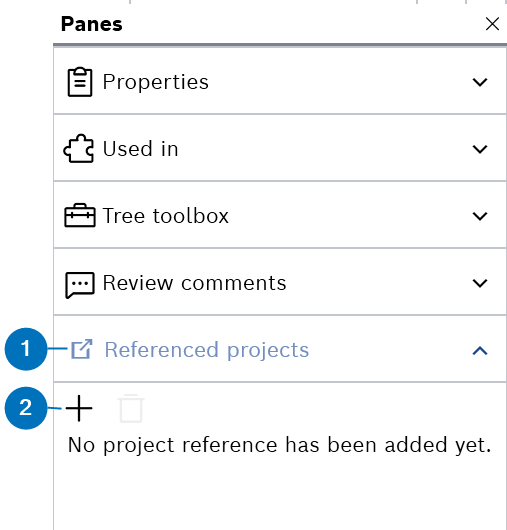
- Click Add icon.
The "Browse referenceable projects" dialog box is displayed.
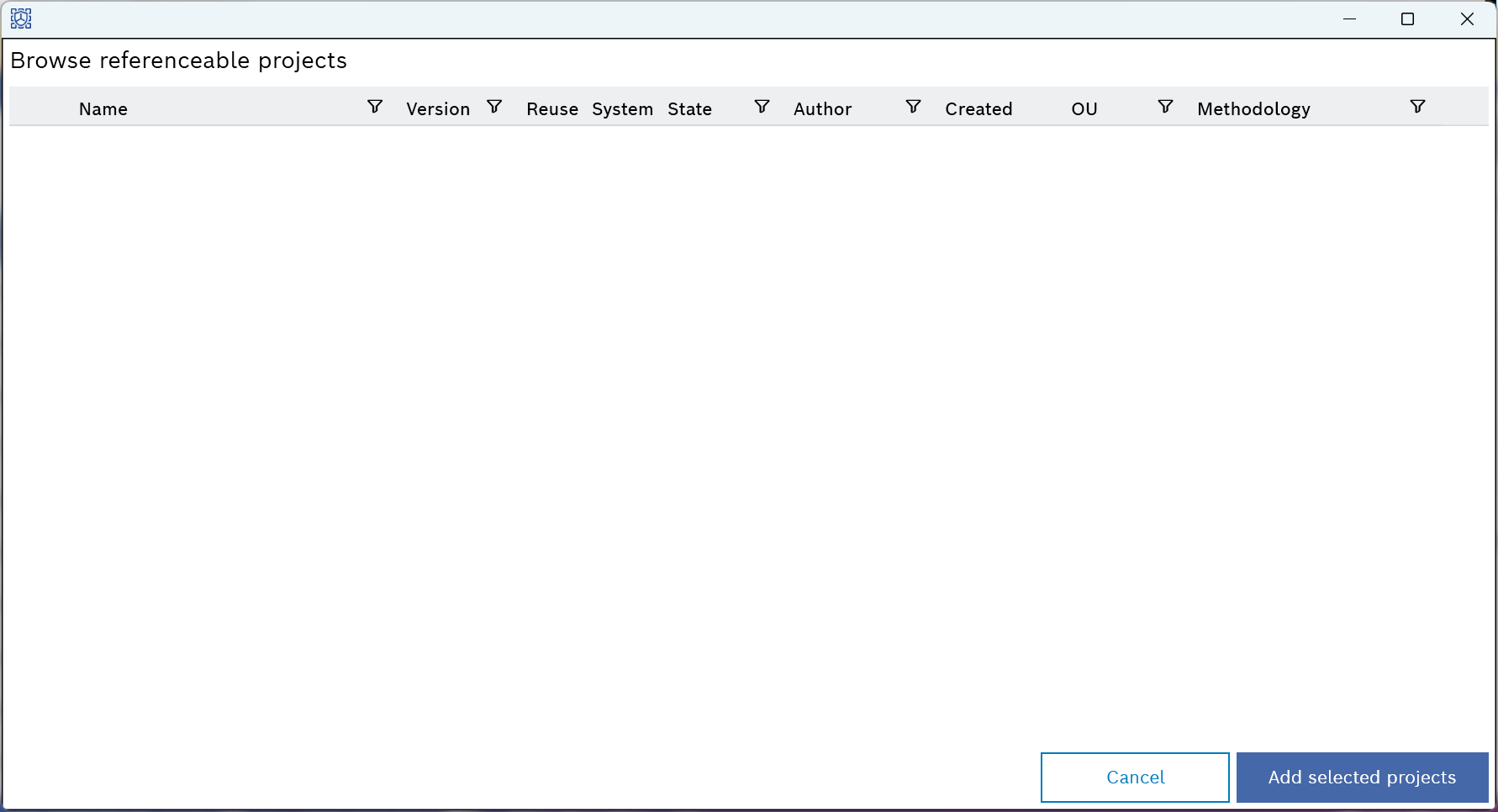
|
Note |
|---|
|
The Add icon is enabled only if the project has no unsaved changes. |
- Select the projects from the list.
|
Note |
|---|
|
- Click Add selected projects.
- The selected projects are added to the "Referenced Projects" pane, but no artifacts are imported.
See Including Artifacts from the Referenced Project for more information. It does not matter whether you reference a reuse TARA or a system TARA. The methodology also does not matter, similar to libraries.