Threats and Threat Scenarios
A threat is an action that violates a security objective, that leads to the non fulfillment of a security property regarding an asset. There must be one threat per security objective and no more.
The threats are automatically generated from the assets with their security properties. If you want a threat, you must go to your assets page, add an asset, and assign at least one security property, and that will automatically generate a threat for you on this page. For example, an asset of "ECU firmware" is added and assigned the security property "Confidentiality", "Integrity", and "Availability", which leads to the threat of "Extraction of ECU firmware", "Manipulation of ECU firmware", and "Blocking ECU firmware."
|
Note |
|---|
|
You can not add threats manually. CycurRISK automatically generates the threats from the security objective according to the naming scheme in Tab. 5. |
You must link the threat to the relevant damage scenarios, i.e., all kinds of damages that can result from this threat. If you are using misuse cases, you can link the misuse cases related to this threat.
Once you build attack trees for your threats, CycurRISK shows you the AFR for the listed threats.
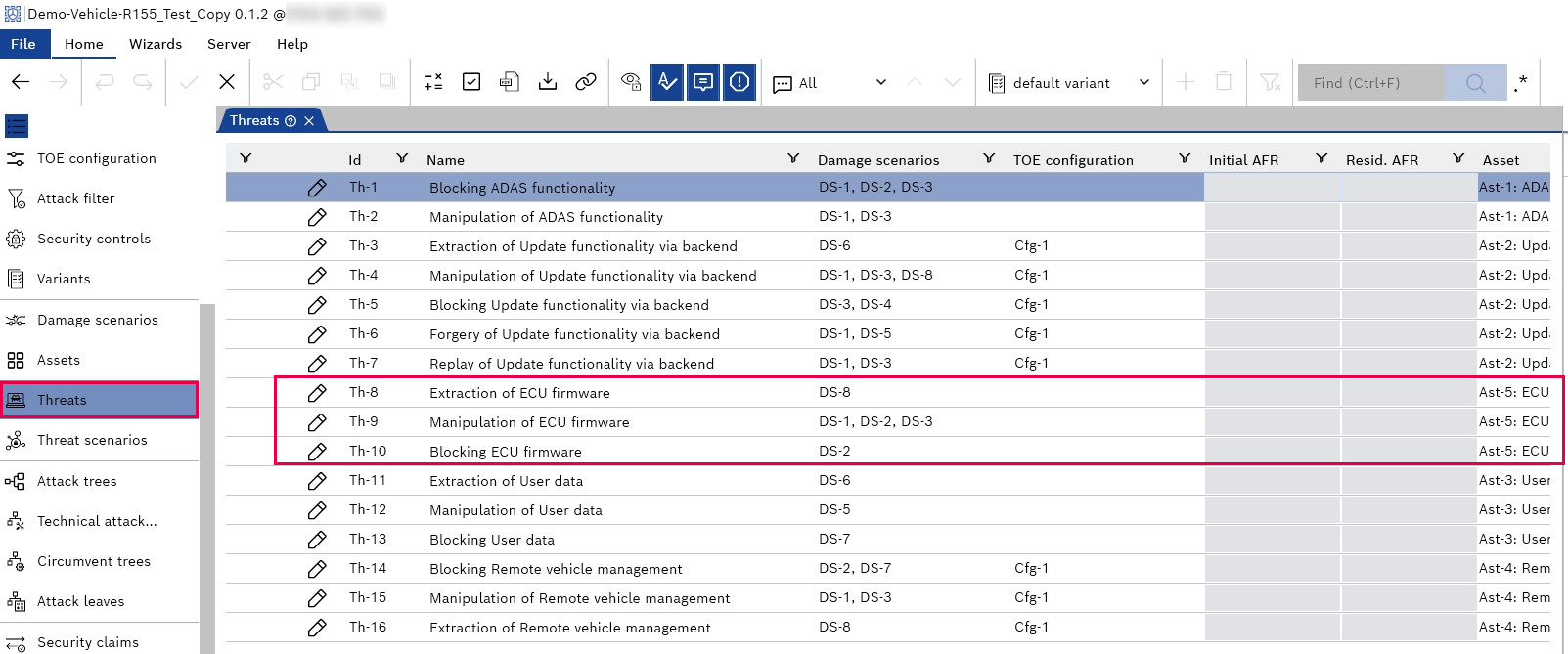
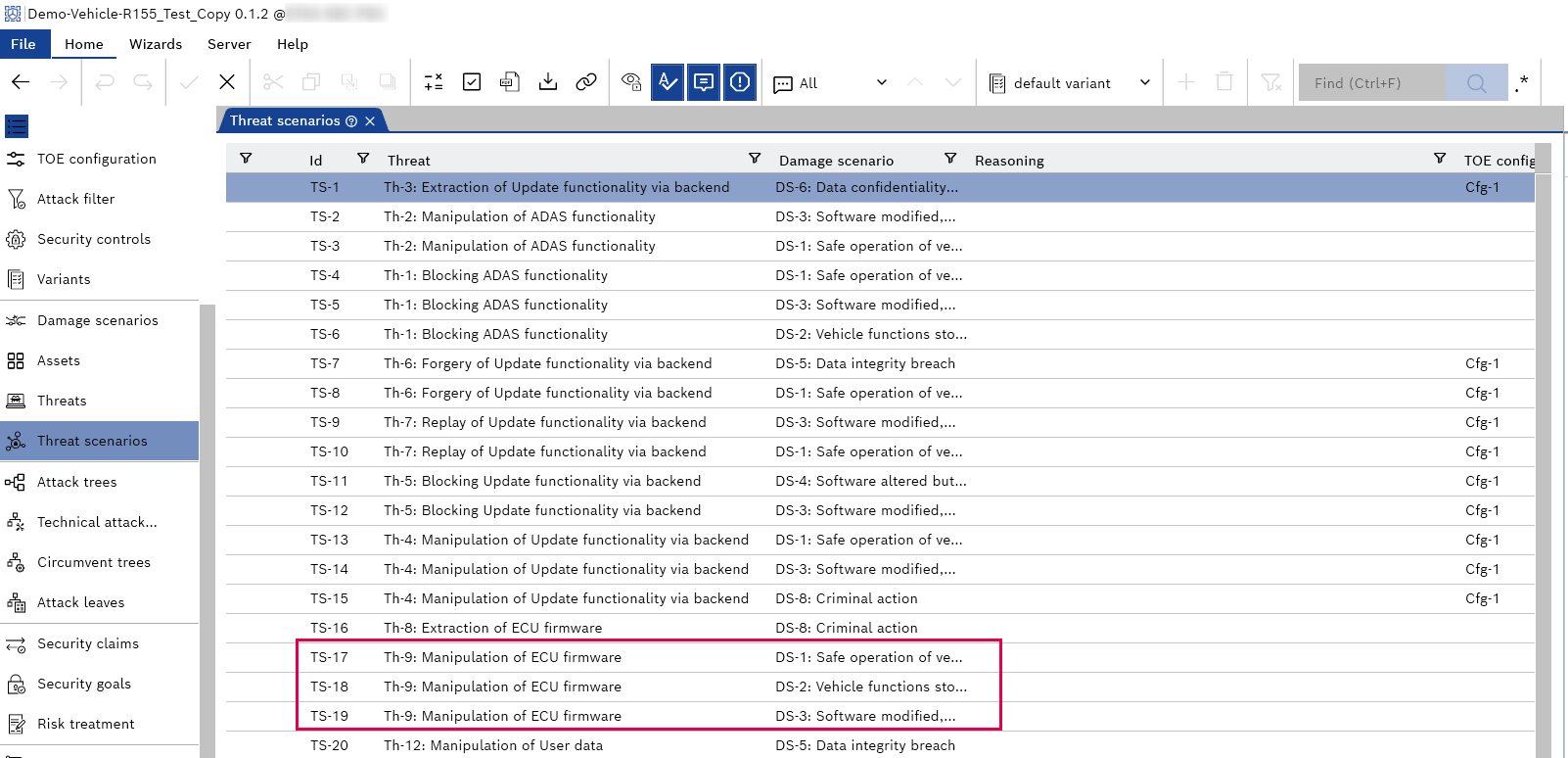
Each pair of one threat and one linked damage scenario generates one threat scenario. If more than one damage scenario is linked to a threat, then there will be more or several damage scenarios per threat. So, typically, there are more threat scenarios than threats.
For example, the "Manipulation of ECU firmware" linked to three damage scenarios, i.e., DS-1, DS-2, and DS-3, means CycurRISK automatically generates three threat scenarios for this threat.
|
Note |
|---|
|
The "Threat Scenarios" are automatically generated from the information entered on the "Threats" page and can not be added manually. |