TOE Configuration
The TOE configuration models different variants of the TOE. Individual configuration items may be enabled or disabled independently of each other, leading to the overall configuration of the TOE. This configuration is the basis for the AFR and risk computations. For this purpose, all relevant artifacts (E.g., Assumptions, Assets, Threats, Tree nodes, Security claims, and Security goals) must be linked with the appropriate TOE configuration items.
CycurRISK contains a dedicated page to add different TOE configurations. Defining and using TOE configurations is an essential part of creating a TARA. The TOE configuration items represent things/elements/properties that differ between different TOE variants. All things/ elements/properties that are shared or the same between TOE variants should not be listed as TOE configuration items.
When a TOE configuration item is disabled, the linked artifacts are excluded from the analysis and marked via shading. You can completely hide these linked artifacts with the "Hide inactive items (F8)" button in the "Home" menu.
|
Note |
|---|
|
If an artifact is linked to multiple TOE configuration items, it is included in the analysis if all linked configuration items are enabled. |
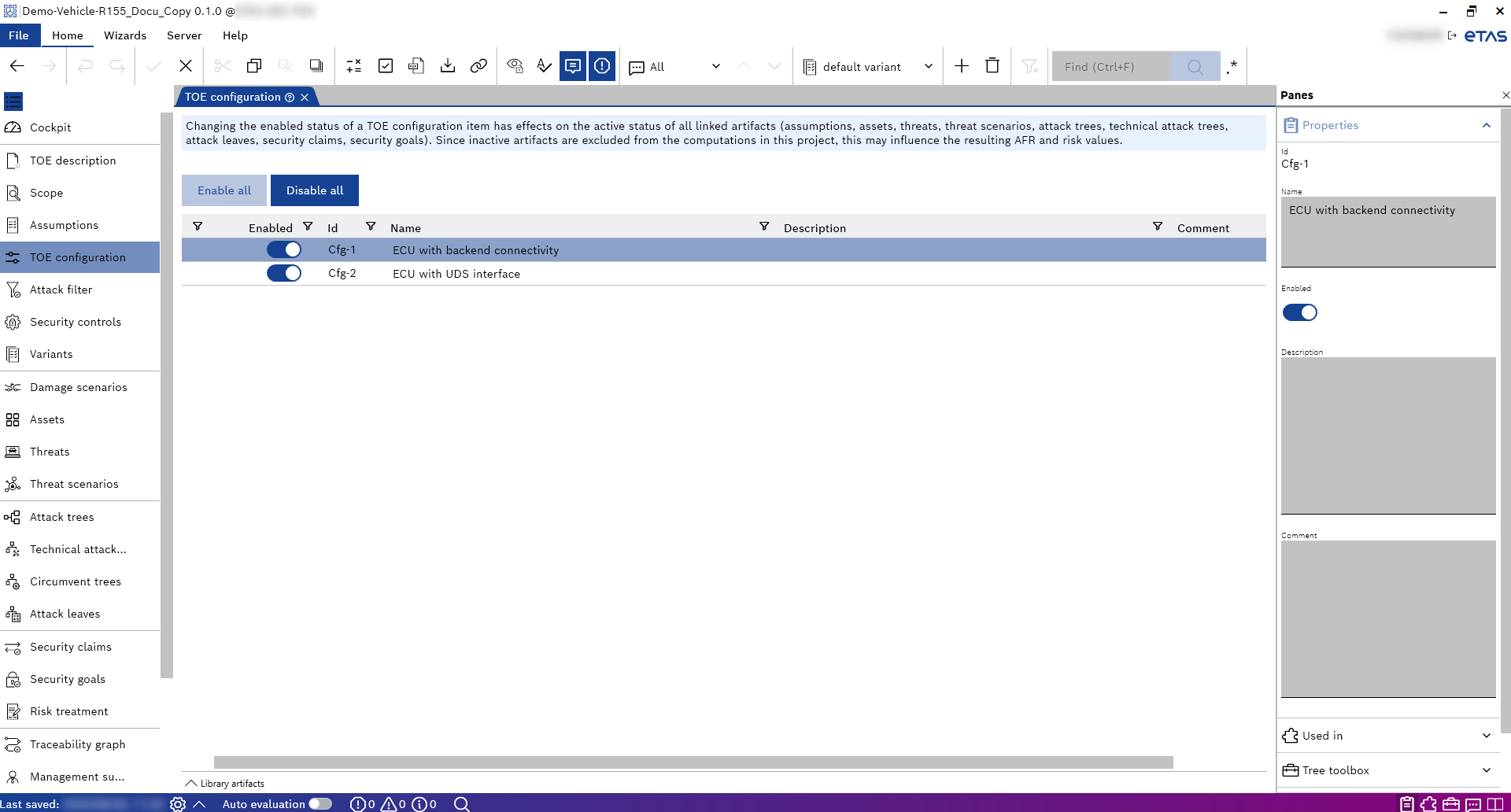
You can link the TOE configurations defined on this page to other pages. The following table provides an overview of where TOE configurations can be linked manually and where they are inherited from other pages.
|
Artifact type |
Link to TOE configuration |
|---|---|
| Assumptions | Manual |
| Security controls | Manual |
| Assets | Manual |
| Threats | Inherited from Assets |
| Threat scenarios | Inherited from Threats/Assets |
| Attack trees | Inherited from Threats/Assets |
| Technical attack trees | Manual |
| Circumvent trees | Inherited from Security controls |
|
Attack leaves |
Manual |
|
Security claims |
Manual |
|
Security goals |
Manual |