Replacing a Placeholder Node
You can replace the placeholder node with a new TAT, new leaf, or Attack leaves. You can also replace it with an existing technical attack or circumvent tree.
To replace a placeholder node
- Perform one of the following steps:
- Drag and drop an artifact (New TAT or leaf, existing technical attack tree or circumvent tree, or Attack leaves) from the "Tree toolbox" onto the placeholder node.
- Right-click a placeholder node.
The context menu is displayed.
- Drag and drop an artifact (New TAT or leaf, existing technical attack tree or circumvent tree, or Attack leaves) from the "Tree toolbox" onto the placeholder node.
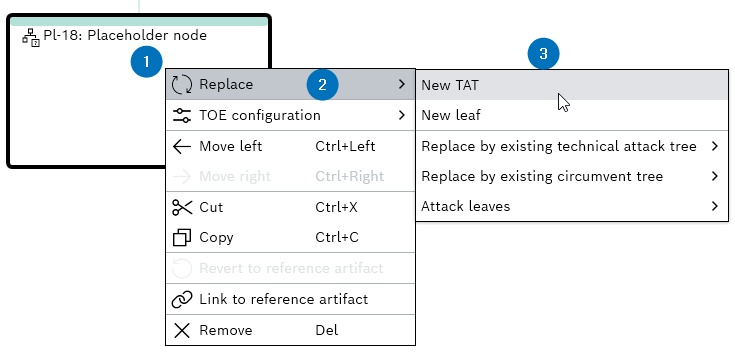
- Click Replace.
The context menu is displayed.
- Select an artifact node from the list.
- The placeholder node is replaced with the selected artifact node.