Managing the Project Rights
You can manage the user rights to current and archived projects.
To manage the project rights
- Go to the File menu > Project rights.
The "Project rights" window is displayed.
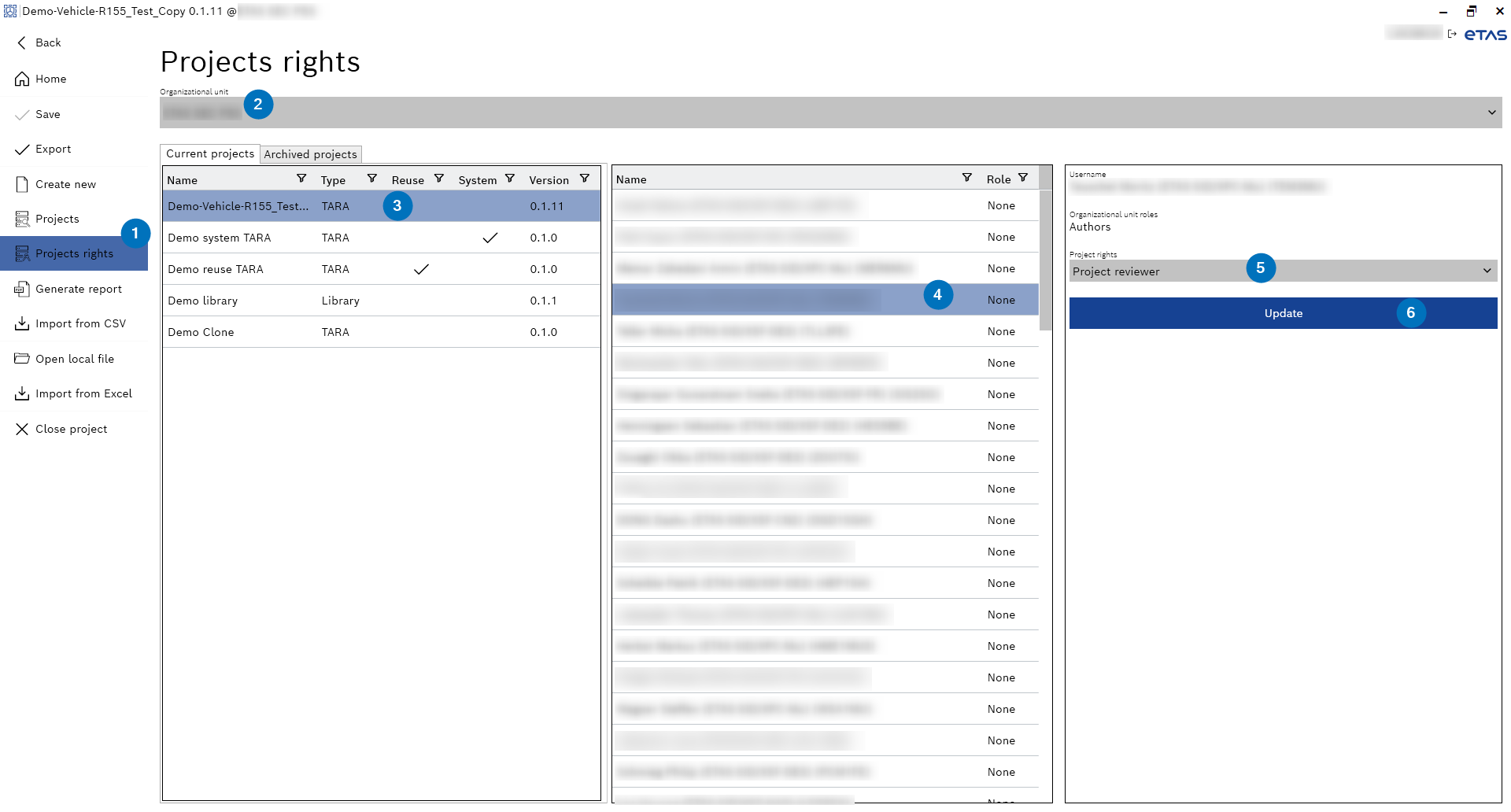
- Select an organizational unit from the "Organizational unit" drop-down menu.
- Select the project from the Current or Archived projects list.
- Select the user from the list.
- Select the project rights from the "Project rights" drop-down menu.
- Click Update.
- The project rights are assigned.