Editing the Node Properties
You can click the node shape to select it. The selection is usually shown via a gray color border.
To edit the node properties
- Double-click the node shape.
The node goes into the edit mode, and the edit mode is visualized via a blue border.
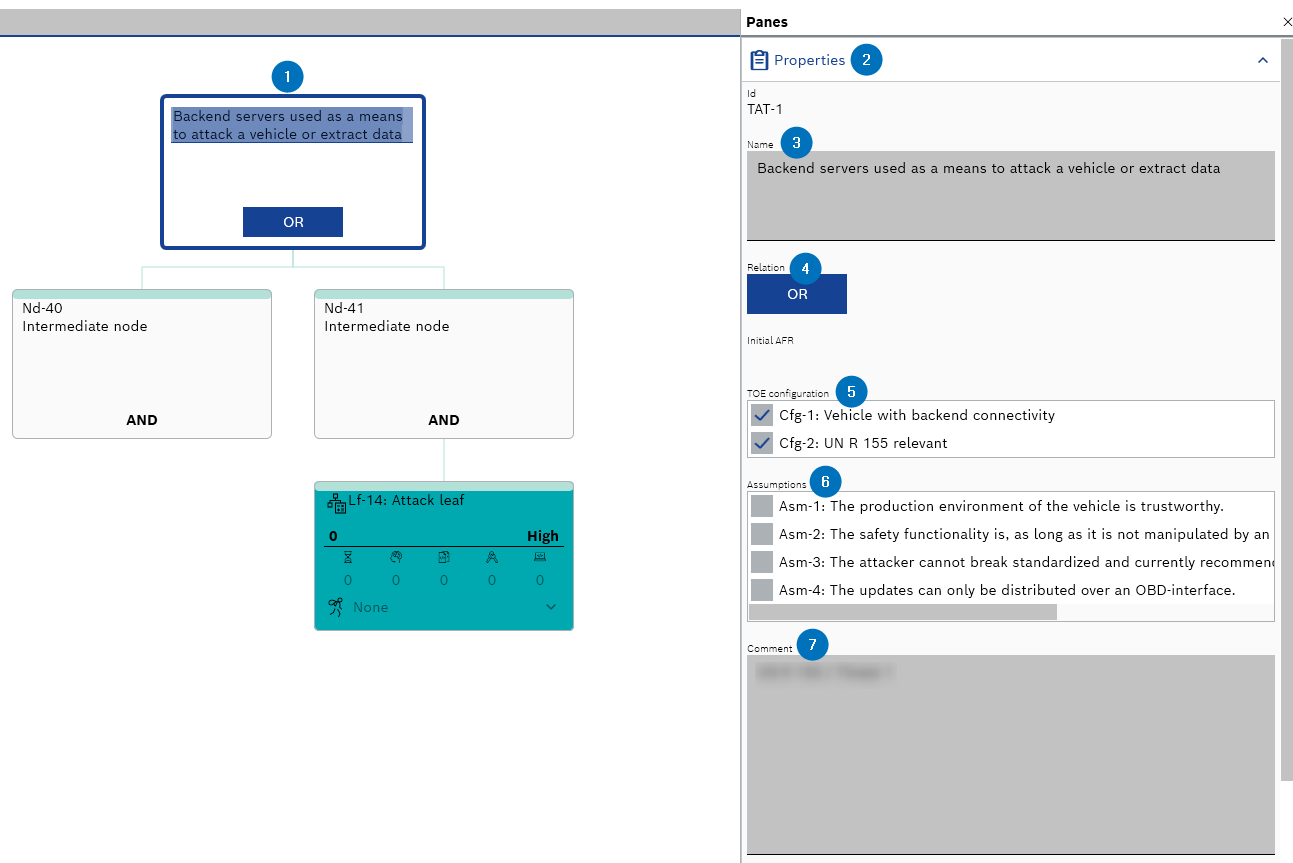
- Go to the Panes > Properties.
The "Properties" pane is displayed.
- Edit the node name in the "Name" field.
- Click the Relation field to change the relation.
The relation is changed.
- Enable or disable the check boxes to configure the "TOE configuration" artifacts.
- Enable or disable the check boxes to configure the "Assumptions" artifacts.
- Enter or edit the information in the "Comment" field.
- The node properties are edited.