Creating a New TARA
To create a new TARA project
- Perform one of the following steps:
- Click Create new in the "Home" screen.
- Go to the File menu > Create new.
The New TARA is selected by default and a corresponding screen is displayed.
- Click Create new in the "Home" screen.
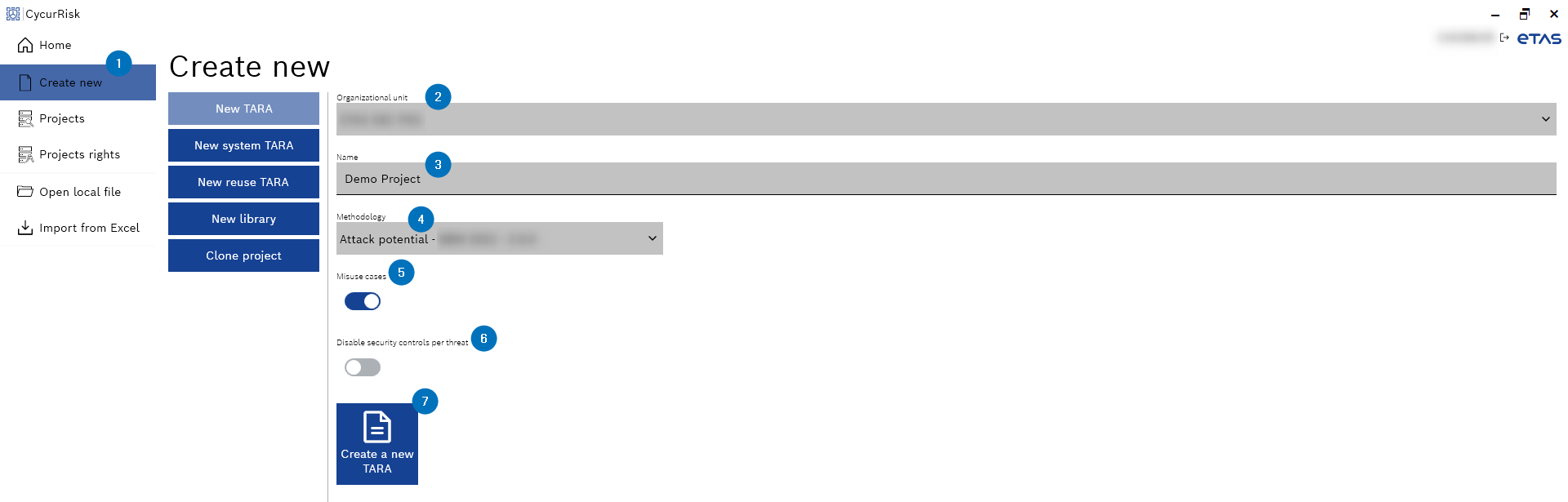
- Select an organizational unit from the "Organizational unit" drop-down list.
- Enter the "Name" of a project.
- Select a methodology from the "Methodology" drop-down list.
|
Note |
|---|
|
Using the methodology wizard, you can change the selected methodology again after the project creation. |
- Decide whether you want to use a misuse cases with the "Misuse cases" toggle button.
This step is optional. - Decide whether you want to disable a security control for each thread with "Disable security controls per threat" toggle button.
This step is optional.
The Create a new TARA button is enabled.
- Click Create a new TARA.
The new TARA project is created and the Cockpit window is displayed with the metadata for the new TARA project.
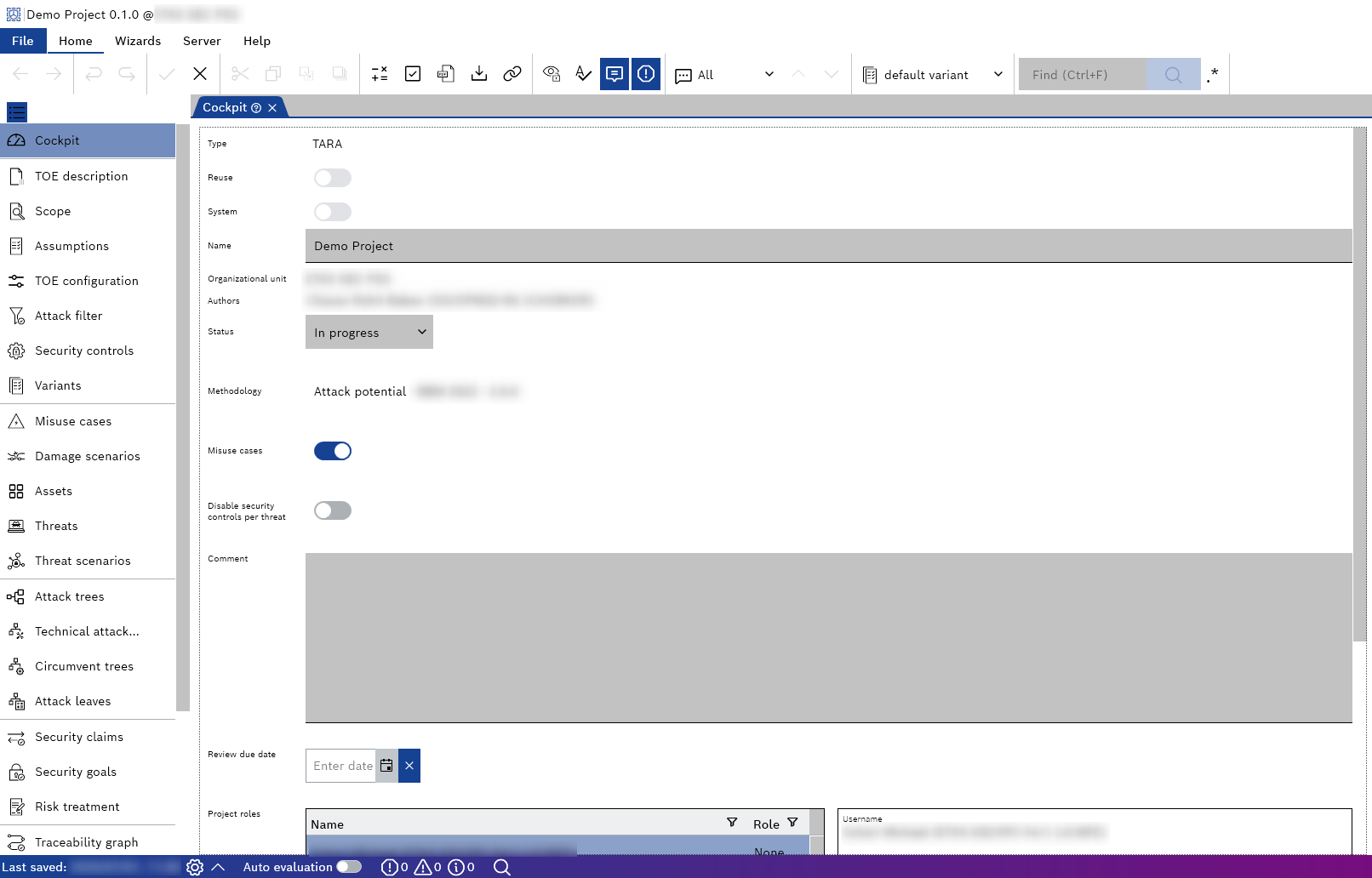
The project explorer window on the left corresponds to the TARA workflow. You can navigate it from top to bottom and it will lead you through the different steps required to complete the TARA project.