Comparing a Project
You can compare the two different versions of the project.
|
Note |
|---|
|
Comparing project versions is only possible when both versions have the same methodology. |
To compare a projects
- Go to the File menu > Projects.
The "Projects" window is displayed.
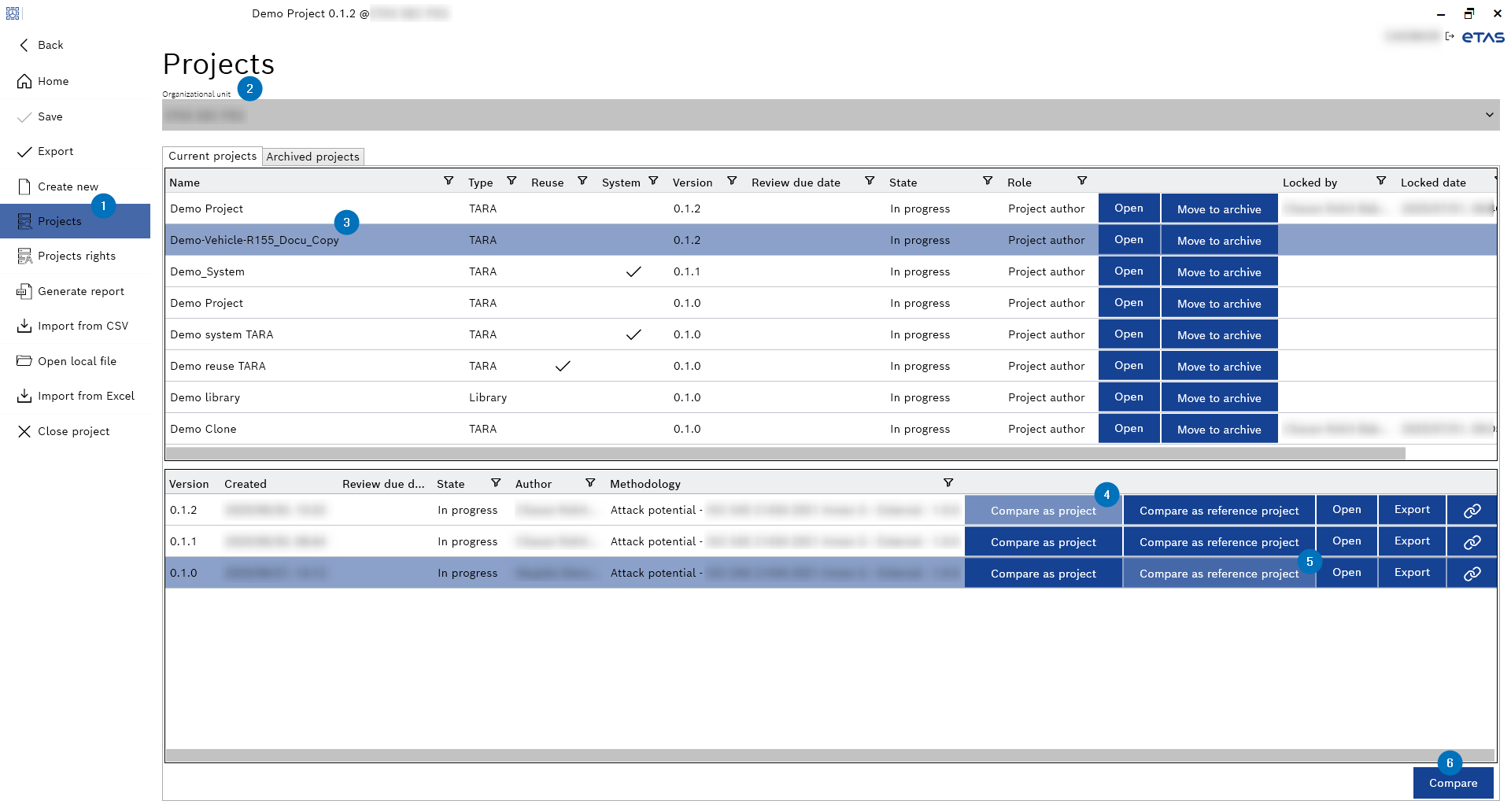
- Select the organizational unit from the "Organizational unit" drop-down menu.
- Select the project from the Current or Archived projects window.
- Click Compare as project to select the project version.
- Click Compare as reference project to select the another project version.
- Click Compare.
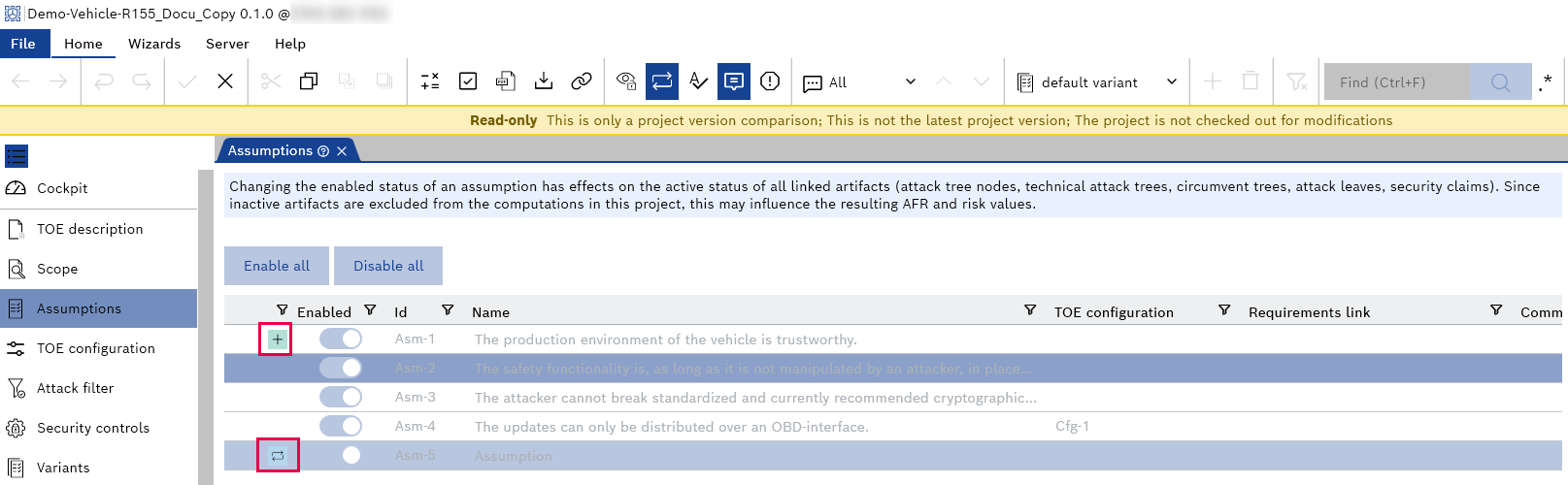
- The project comparison is opened in a new CycurRISK instance as a read-only mode.
The visual indicators show the difference between the "Project" and the "Reference project." They highlight "Added," "Modified," and "Removed" artifacts compared to the reference project.