Cockpit
As soon as you create or open a project, the Cockpit window is displayed.
The Cockpit is an environment that contains the project metadata. After creating a project, you can change its name and status.
You can document the necessary information in the "Comment" field. You can enter the project review due date, assign the project roles and rights, and see the project history in the Cockpit window. It has the following four project rights:
- None
- Project author
- Project reviewer
- Project reader
The menu bar is also available and contains all functions for file-specific actions.
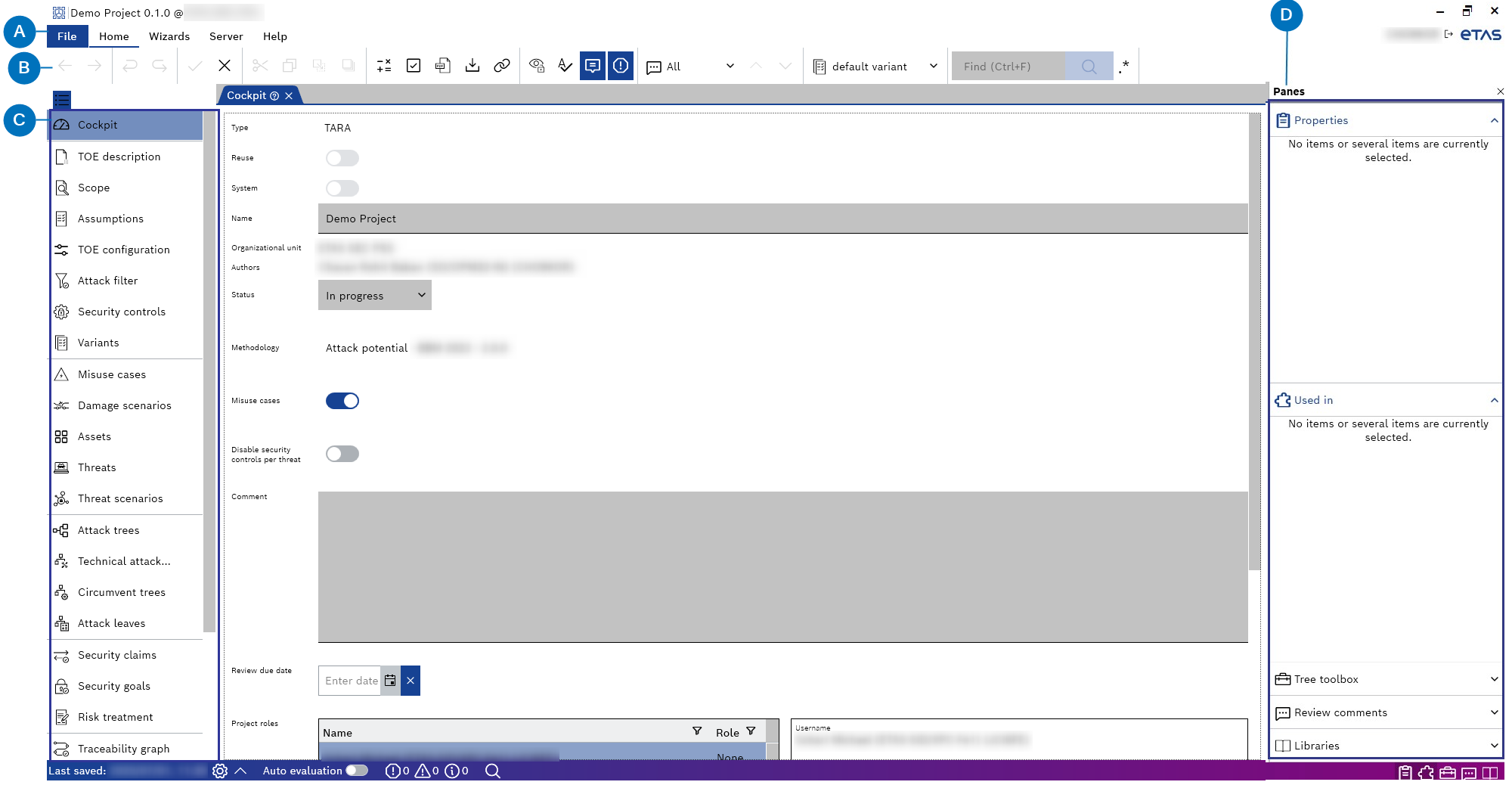
- Menus
- Commands
- TARA artifacts
- Panes
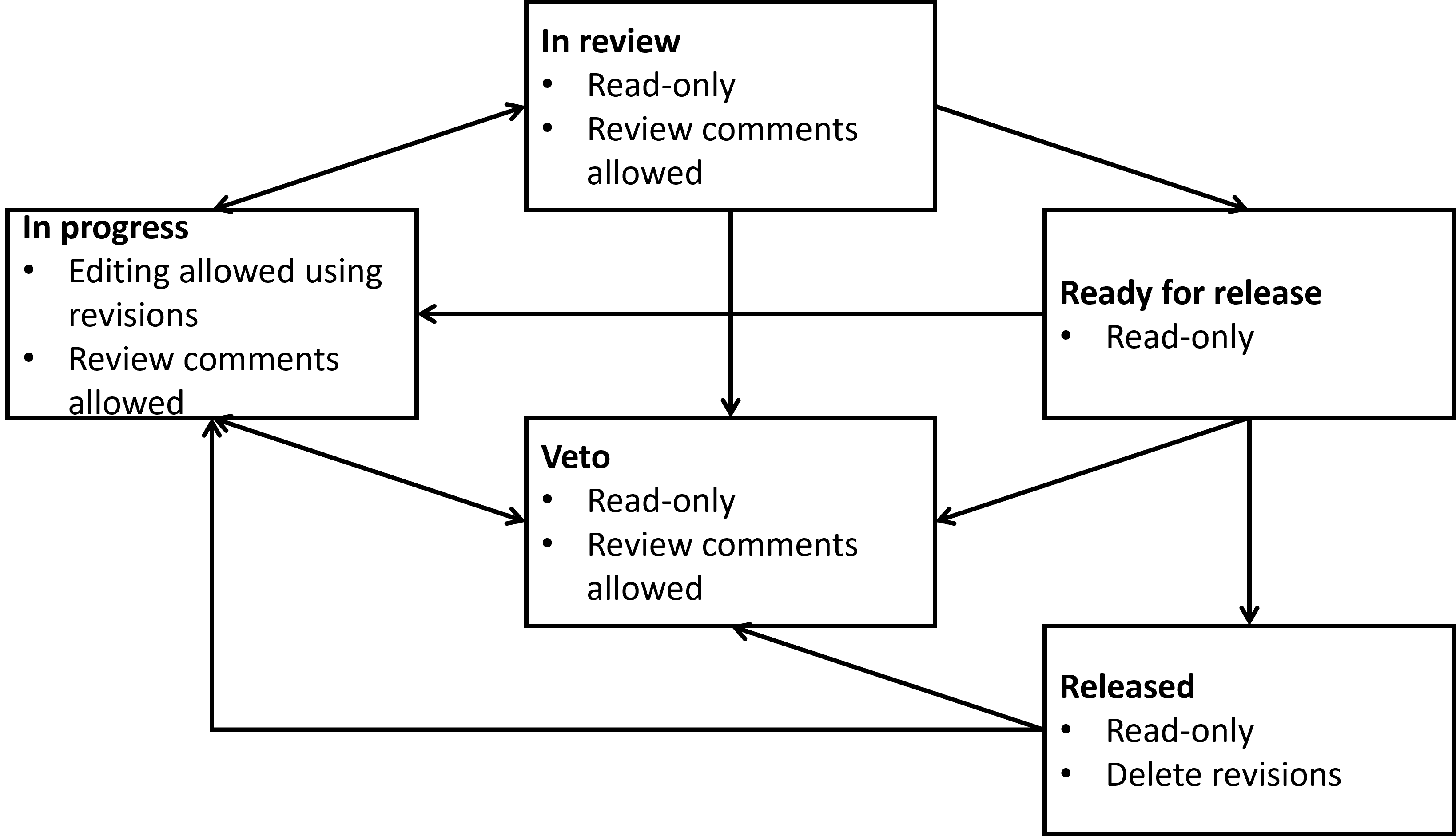
The cockpit window has the following five statuses for projects:
- In progress
- In review
- Ready for release
- Released
- Veto
You can change the project status only if certain conditions are satisfied. Possible conditions are:
- No existing validation warnings and/or errors
- No open review comments
An overview of allowed status transitions and attached functionality is given in the figure below.