Attack Filter
The Attack filter feature enables you to filter the attacks considered in your analysis for certain properties. The selected values on the attack filter page are included in the AFR and risk computations and the deselected values are excluded from the analysis.
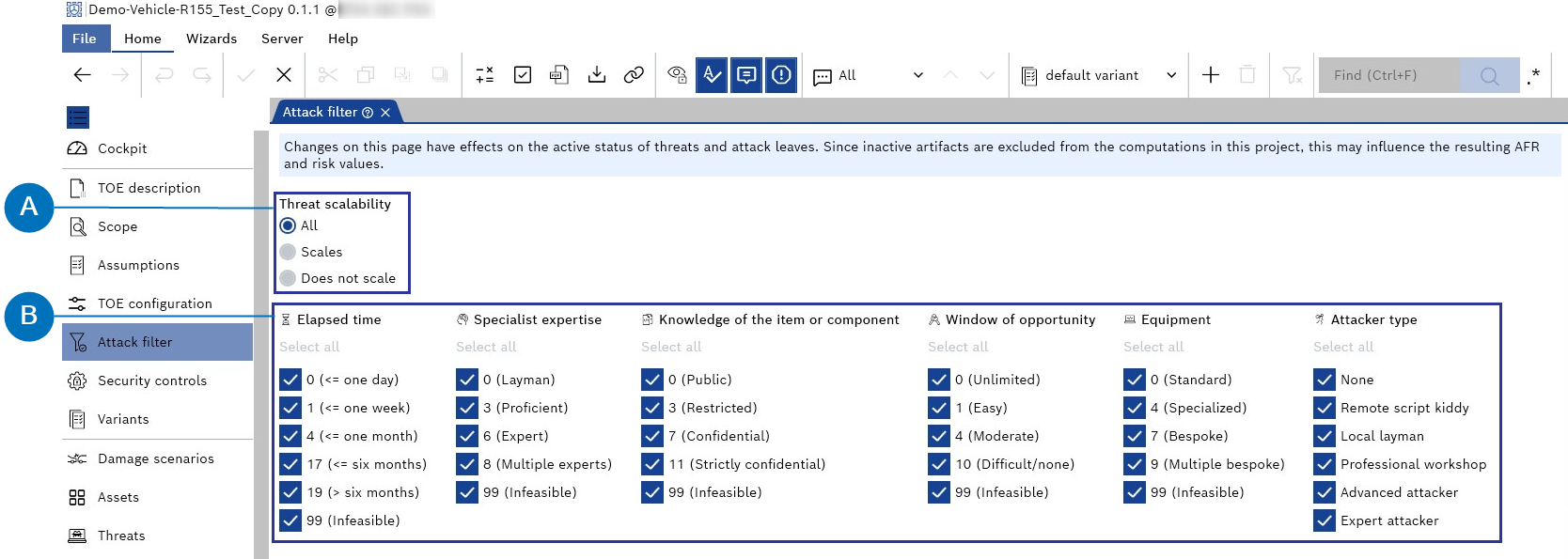
- Threat scalability filter
- Attacker capability filter
You can filter for two things on the "Attack filter" page as follows:
- Threat scalability filter
You can set the threat scalability filter by choosing the three options below:- All
By default, it is set to "All," which includes all threats, regardless of whether they scale. - Scales
Deactivates all threats that do not scale. - Does not scale
Deactivates all threats that scale.
- All
- Attacker capability filter
All available attacker capabilities are listed, including all possible values. All values are selected by default and will be included in the analysis.
By deselecting a value, all attack leaves with this value and corresponding nodes connected via an AND node are excluded from the analysis.