Adding Libraries to a Project
To add libraries to a project
- Perform one of the following steps:
- Go to the Panes > Libraries.
- Go to the "Status" bar and click Libraries icon.
- Press Ctrl+Shift+L
The "Libraries" pane is opened.
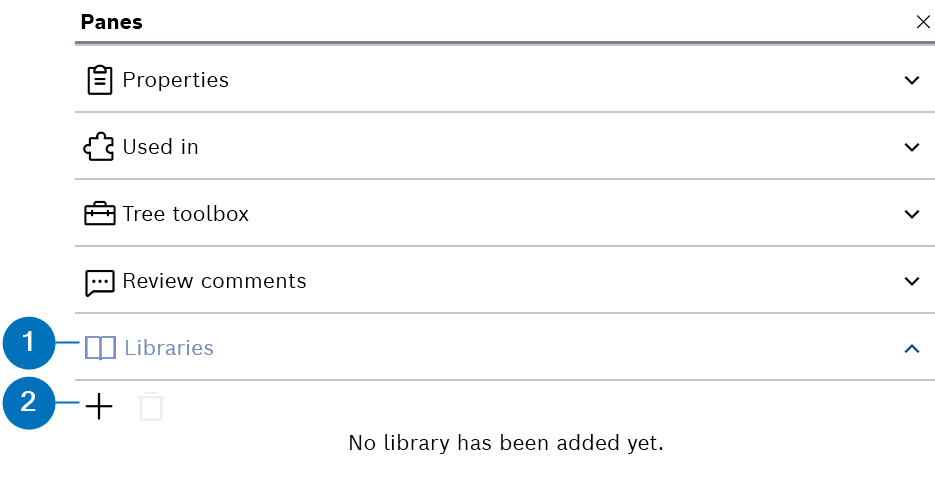
- Click Add icon.
The "Browse available libraries" dialog box is displayed.
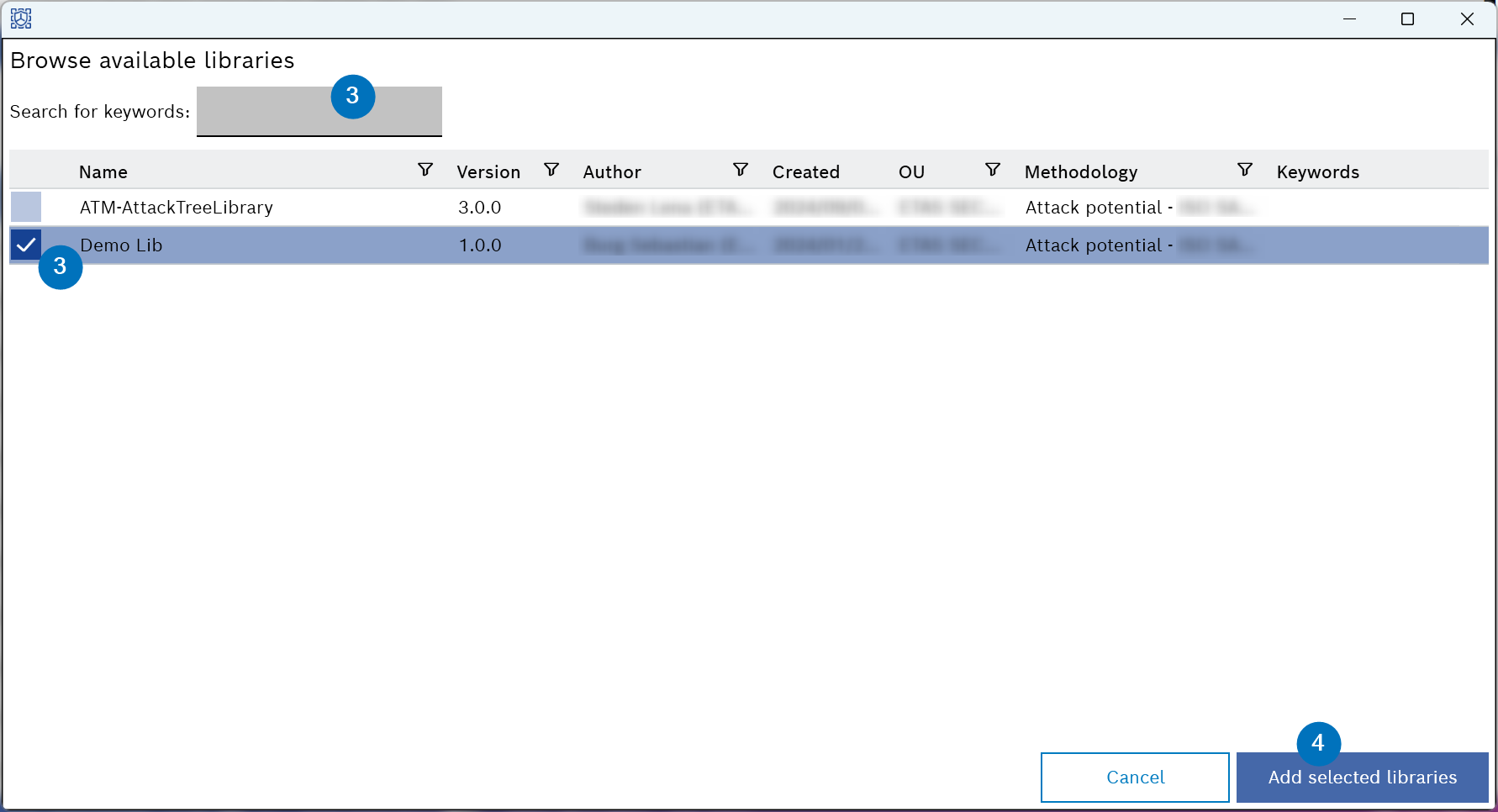
- Select the libraries from the list.
or
Search and select the available libraries with keywords from the "Search for keywords" field.
- Click Add selected libraries.
- The selected library is added to the "Libraries" pane and "Cockpit" page.