Exporting Data
To export dynamic data, proceed as follows.
-
In the ASCMO-DYNAMIC window, select File → Export Data → Training or Validation or Test.
If your project contains more than one dataset, the
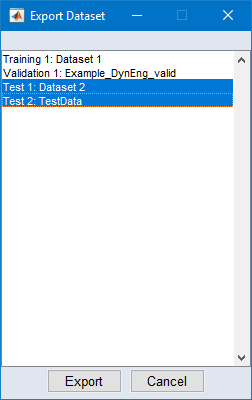
 "Export Dataset" window opens. That window shows all datasets in your project; the datasets of the selected category are preselected.
 -
In that window, select one or more datasets and click on Export.
A file selection window opens.
-
Select type, name, and path of the export file.
The following export formats are available: Excel (*.xls, *.xlsx), comma-separated values (*.csv), MDF3 (*.dat), MDF4 (*.mf4), and MAT (*.mat).
Note
To export several datasets at once, use an Excel format.
If several datasets are selected, export to *.csv fails, and export to *.dat, *.mf4, or *.mat exports only the first dataset.
-
Click on Save to perform the export.
See also