Select <Model> Outputs
Models step > Output Mapping area > Add
The Select <Model> Outputs window for ASCET models, FMU models or TSim Plugins contains the following elements:
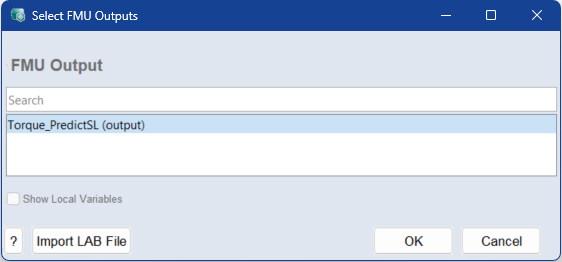
<Model> Output
Select one or multiple outputs to add mappings to the Output Mapping list. You can use the standard Ctrl/Shift selection functions in the table
You can search the list using the search field.
Show Local Variables
Shows or hides local variables in the <Model> Output list. When activated, local variables are also available for selection and can be added to the Output Mapping list.
 ?
?
Opens the online help in the appropriate context.
Import LAB File
Click to import a lab file parameter list to use an existing output mapping.
OK
Adds the selected mappings to the Output Mapping list. Existing entries in that list are kept.
Cancel
Discards your settings and closes the window.
See also