Manual ODCM Front End
Extra menu > Open ODCM Front End
The Manual ODCM Front End lets you train the classification model by manually entering feasible and non-feasible points. It includes the following elements:
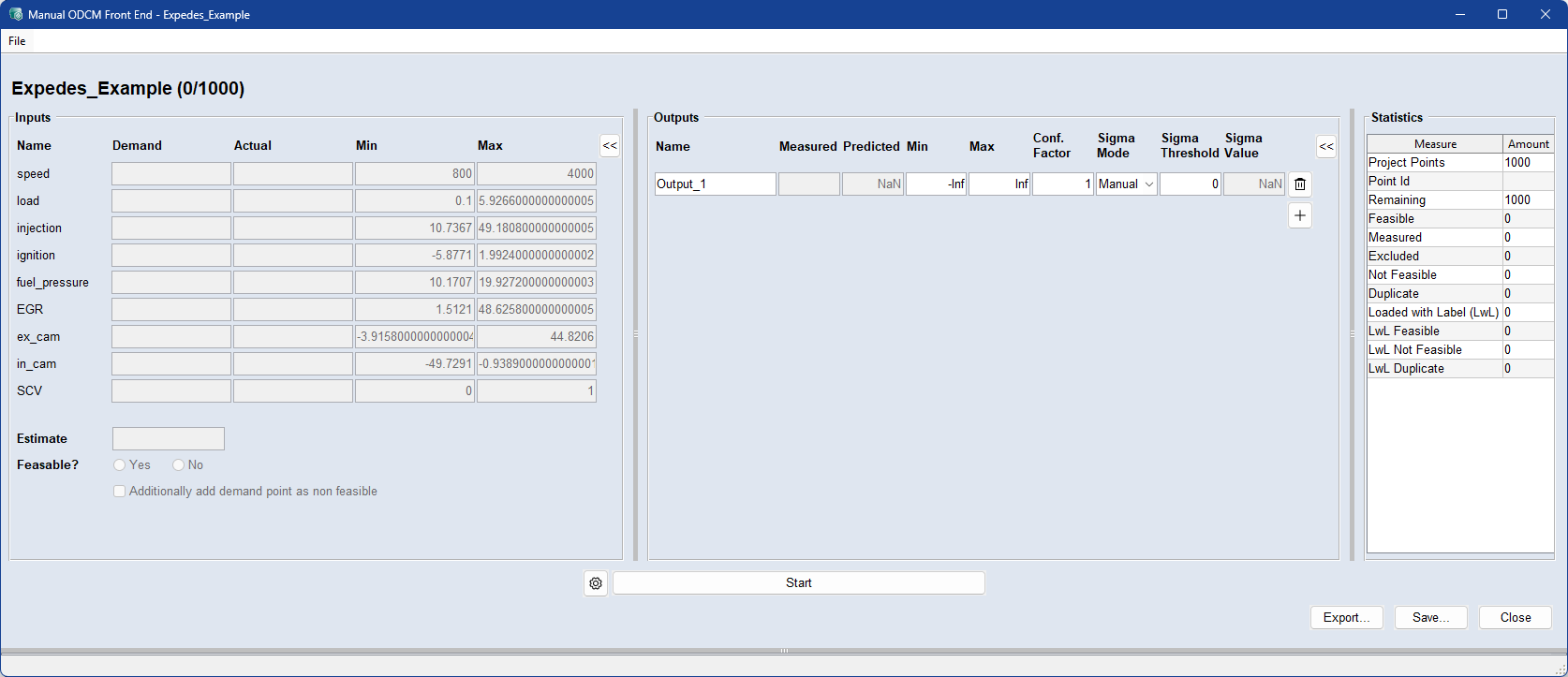
At start up, the experiment plan is loaded from the ASCMO-STATIC ExpeDes project.
File menu
|
Load Project |
Load a saved ODCM project (*.odcm) or import an experiment plan from an Excel or CSV file. |
|
Load Labeled Data |
Import an existing design with feasible and non-feasible points. Requirements:
This data is used to pre-train the classification model. |
|
Settings |
Opens the Settings window. |
|
Export |
Export the current measurement campaign as Excel or CSV. |
|
Save |
Save the current campaign as an ODCM file. |
|
Exit |
Close the window and discard unsaved settings. |
Inputs
Name: Input name as defined in the experiment plan.
Demand: Target value for the current measurement point, based on the experiment plan.
Actual: Enter the actual measured input value for the current point.
Min/Max: Minimum and maximum input values, as specified in the experiment plan.
Outputs
Outputs can be added using Add Output.
ODCM may skip measurement points
ODCM allows measurement points to be skipped depending on a predicted output being outside a limit. In addition, points can be skipped according to a sigma threshold.
Name: Give the output a unique name.
Measured: Enter the actual measured output value for the current point.
Predicted: Output value predicted by the model at the current measurement point.
Min/Max: Defines the acceptable output range. producing values outside [min − factor*σ, max + factor*σ] are skipped. Limits are inactive if set to [−Inf, Inf].
Confidence Factor: Interval check for predicted values based on σ (model uncertainty). If output limits are set, the predicted output is checked against the interval [min − confidence factor*σ, max + confidence factor*σ], where σ (sigma) is taken from the internal output model.
Sigma Mode:
-
Manual: User-defined sigma threshold [0, ∞). Points below the threshold are skipped if all outputs meet their sigma conditions.
-
Auto: Automatic threshold in [0,1]. It balances modeling quality against the number of measurements: lower values favor higher modeling quality, higher values reduce the number of measurements. Recommended for use with ExpeDes blocks. Default value: 0.9.
Sigma Threshold: Displays the active threshold (depends on sigma mode).
Sigma Value: Model uncertainty (σ) of the output at the current measurement point.
 : Removes the output from the list.
 : Adds an output to the list.
Statistics
Displays the campaign statistics.
 Settings
 Classifier: Must be selected before starting the measurement campaign.
-
Binary Gaussian Process Classifier (default): During training, the model is optimized to reduce RMSE.
-
Gaussian Process Classifier: During training, the model is optimized by maximizing the log likelihood.
-
Random Decision Tree Classifier: Alternative classifier option.
Threshold: All measurement points with a classification probability below the threshold are skipped in the measurement campaign. Enter a threshold value at which you want the classifier to take effect. A higher value will result in more deleted points.
Kernel: Must be selected before starting the measurement campaign. The internal kernel used by the classifier algorithm.
-
Matern (default): Captures local dynamics more effectively, making it suitable when the system has sharp changes or non-smooth behavior.
-
Squared Exponential: Assumes smoother behavior, leading to more globally consistent but less locally adaptive models.
Training Mode: Must be selected before starting the measurement campaign.
-
Train always: Triggers full model retraining on each new data point.
-
Fast mode: Triggers full retraining only for the first N data points.
-
No. normal trainings: Set the number of measurements before switching from full training mode to fast training mode. Integer ≥ 100.
-
-
Train if time budget available: Triggers full retraining only when the estimated training time fits within the remaining time budget.
-
Time budget [s]: Set the time budget, which determines whether to use full or fast mode training for each new measurement, depending on the accumulated time budget (in seconds) available. Each measurement adds to the time budget. When the accumulated time budget is greater than the time for the last full model training, a new full model training is performed.
-
Sorting Method: Must be selected before starting the measurement campaign.
-
Automatic Sorting (recommended): ODCM automatically applies the optimal sorting strategy.
-
Expedes Sorting: Uses the sorting order defined in the ASCMO-STATIC ExpeDes plan. Usually not recommended, as it reduces the flexibility and effectiveness of the ODCM algorithm.
 Start
Start
To begin entering feasible/non-feasible points, click Start.
 GUI
GUI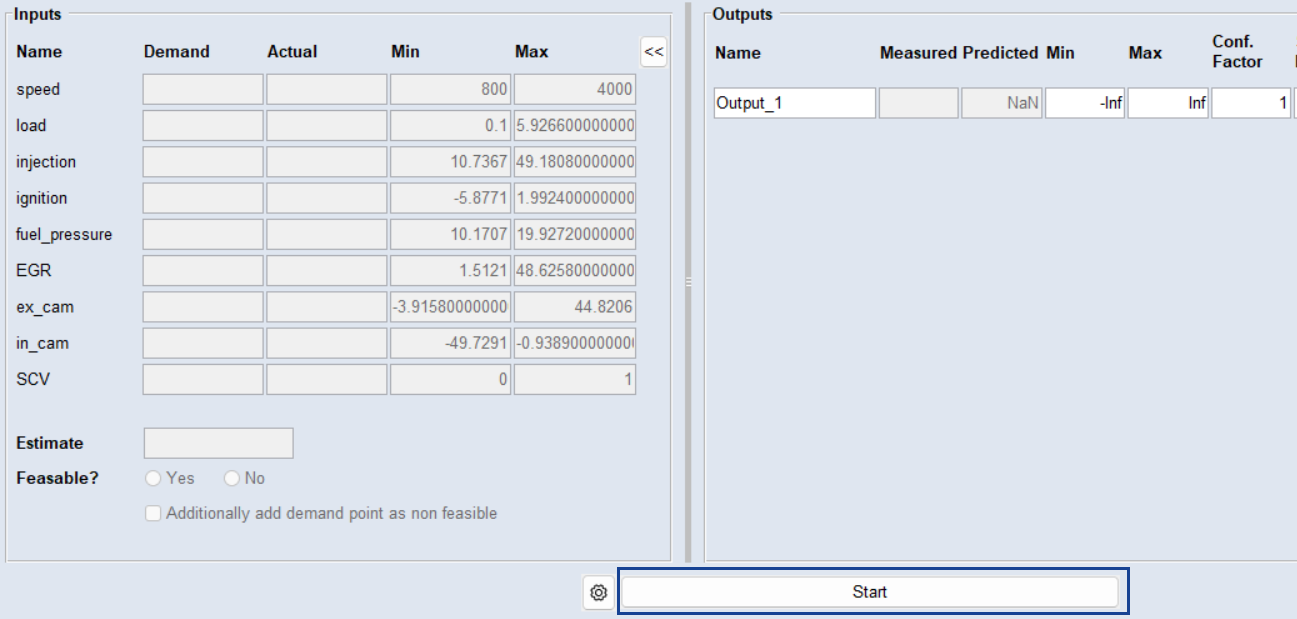
You are presented with the first point of the measurement campaign.
Measure the point and enter the feasible/non-feasible information using the Feasible? Yes and No radio buttons.
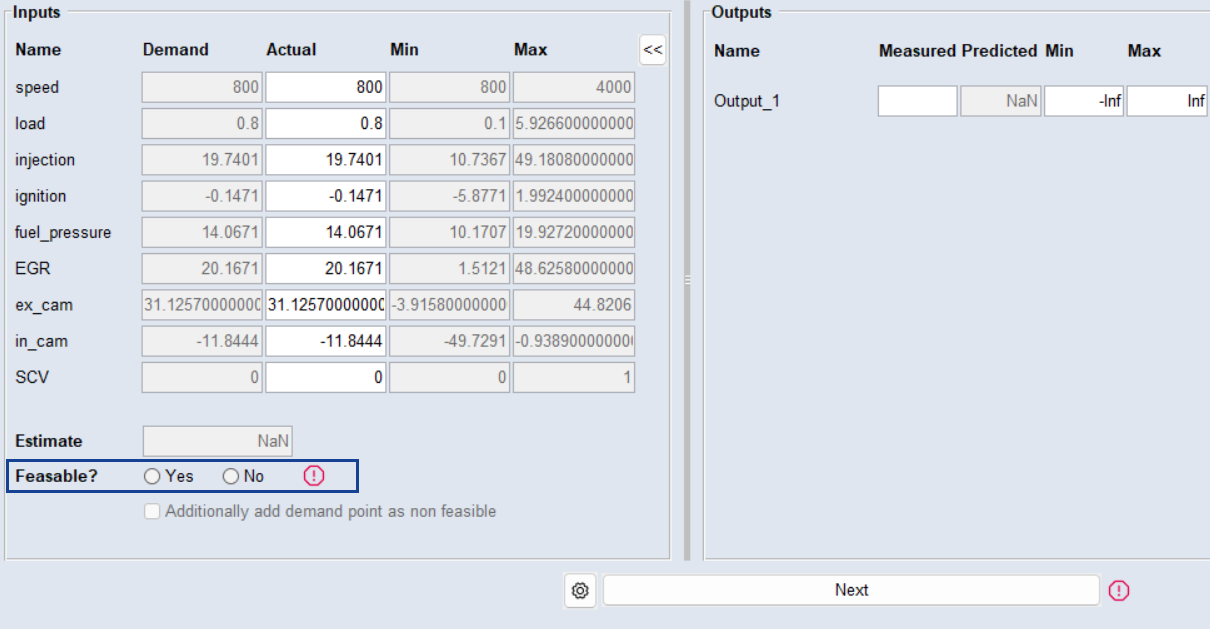
Next
To move to the next point in the measurement campaign, click Next.
|
Note |
|---|
|
The demand and the actual measured point may differ for two reasons:
|
Export
Click to export the current state of the measurement campaign as an Excel or CSV file.
Save
Click to export the current state of the measurement campaign as ODCM file.
Close
Discards your settings and closes the window.
See also