Experiment 3D View

View menu > 3D View

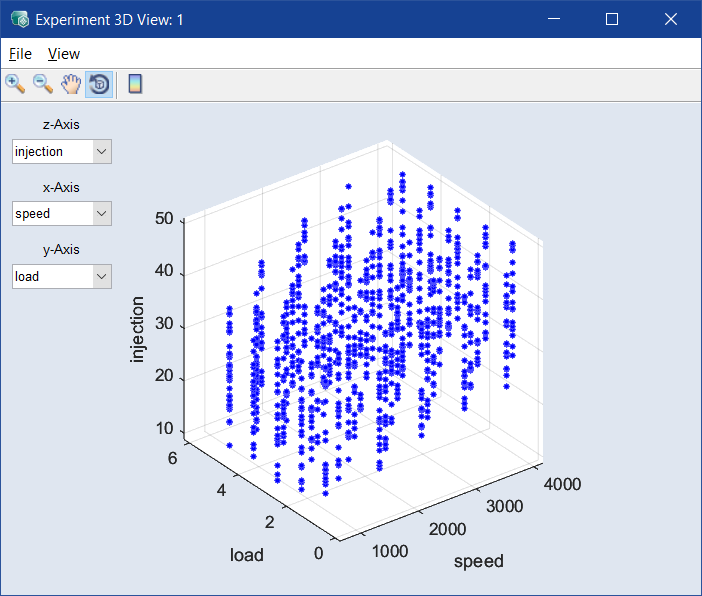
The Experiment 3D View window contains the following elements:
ClosedFile

  • Copy to Clipboard

    Copies the plot to the clipboard.

  • Save as Image

    Saves the plot as a *.bmp, *.png, or *.jpg image.

  • Close

    Closes the 3D plot window.

ClosedView

  • Visible Z-Range

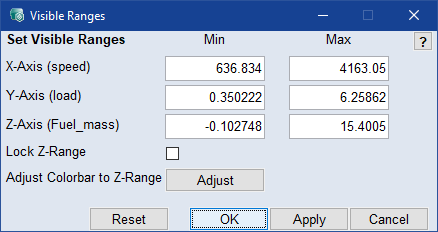
    Opens the ClosedVisible Z-Range window where you can change the display range of the Z-axis.

    Note  

    The Adjust button is available only if the color bar is displayed.

  • Show Toolbar

    Switches the display of the toolbar on or off.

  • Show Cursor

    Shows or hides the black lines that mark the selected operation point.

  • Prepare Print

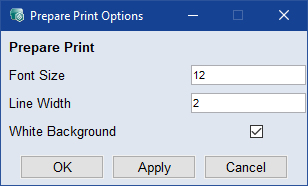
    Opens the ClosedPrepare Print Options window where you can adjust the look of the plot area. The settings are reset when you close the Experiment 3D View window.

ClosedToolbar

    The toolbar contains the following elements:

    Zoom In Clicking in the plot will enlarge the plot representation.
    Zoom Out Clicking in the plot will reduce the plot representation.
    Pan Thus, the plot can be shifted within the window.
    Rotate 3D Thus the 3D plot can be rotated in all three spatial directions.
    Insert Colorbar Displays the current color table with the axis scaling.

Plot area

The plot area contains the following elements:

  • z-Axis / x-Axis / y-Axis drop-down lists

    In these drop-down lists, you select the axes for the plot.

  • plot