Constraint Type "Classifier"
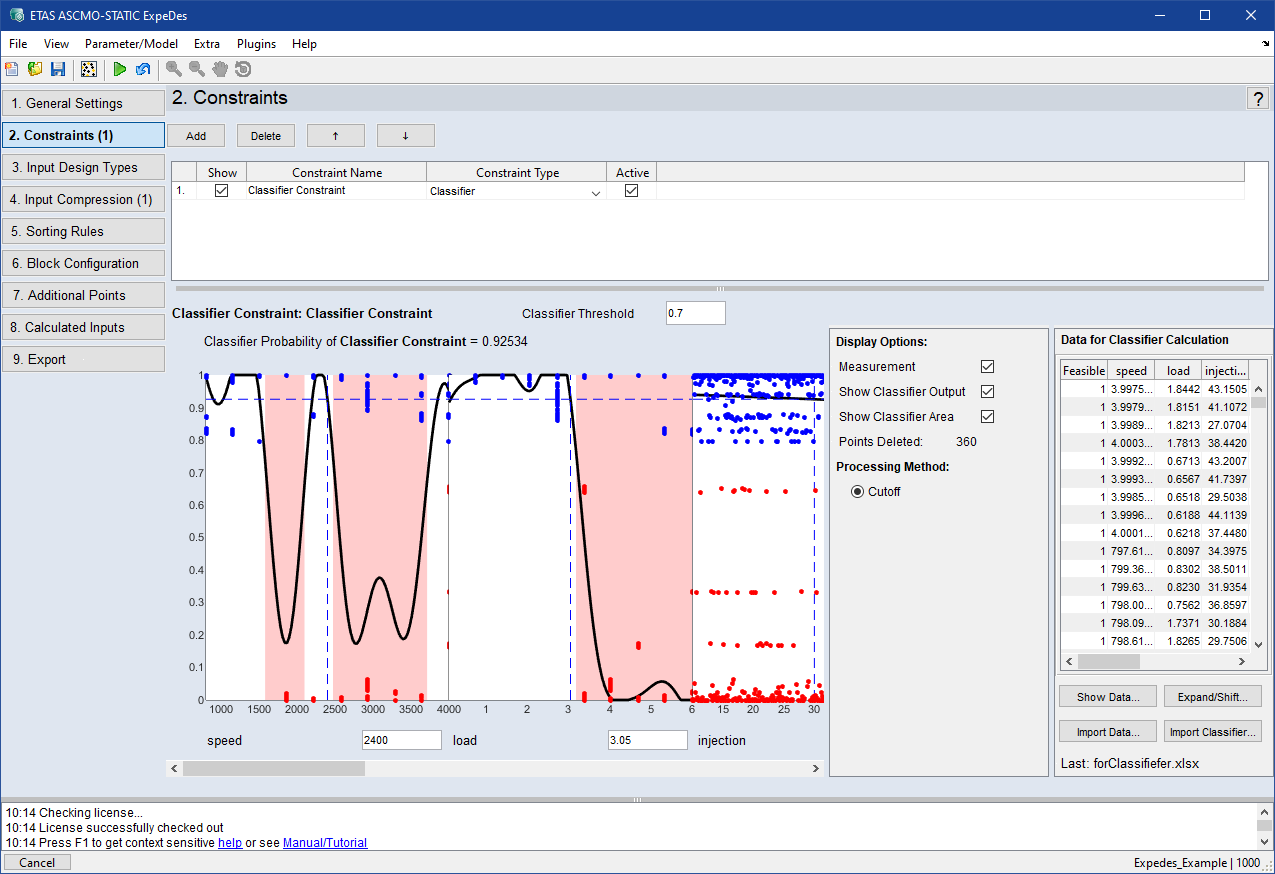
The area below the constraints list contains the graphic display of the planned measurement points and the specified limitation of the area.
In case of undesired measurement regions that depend on complex dependencies amongst inputs, "Classifier" can be used as constraint type. Existing data (*.xls, *.xlsx, *.xlsm, *.csv or *.odcm)can be loaded, by which the classifier learns the undesired measurement regions from previous measurements.
Classifier Threshold
All measurement points with a classification probability below the threshold are skipped in the measurement campaign. Enter a threshold value at which you want the classifier to take effect. A higher value will result in more deleted points.
<input>
Shows the position of the intersection of the axes cursor. Enter a value and press enter to go to a exact position.
Display Options
Here you can define display options.
- Measurement: Displays the measurement points.
- Show Classifier Output: Displays the classifier output.
- Show Classifier Area: Displays the red bars which indicate the classifier areas.
- Points Deleted: Number of measurement points deleted by the constraint
- Processing Method: Cutoff/Cutoff inside: Removes the points outside/inside the constraint, leaving the points inside/outside the constraint the same.
Data for Classifier Calculation
Table:
Shows the data as table you imported as classifier.
 Show Data:
Opens the "Data for Classifier Calculation" window, where the imported data is displayed in graphs.
Expand/Shift:
Opens the "Expand and Shift classifier Data" window, where you can expand and set the offset to modify the classifier.
Import Data:
Opens an open file dialog, where you can select a *.xls, *.xlsx, *.xlsm or *.csv file to import data from.
Import Classifier:
Opens an open file dialog, where you can select an Online DoE Constraint Modeling Project (*.odcm) file to import as classifier.