Step 1: General Settings
If a new project is created (File → New), the general settings are assigned default values. They can and must be extended and changed accordingly at the beginning of the project.
This applies not only to the duration of experiment, but also the number and configuration of inputs (Input Configuration).
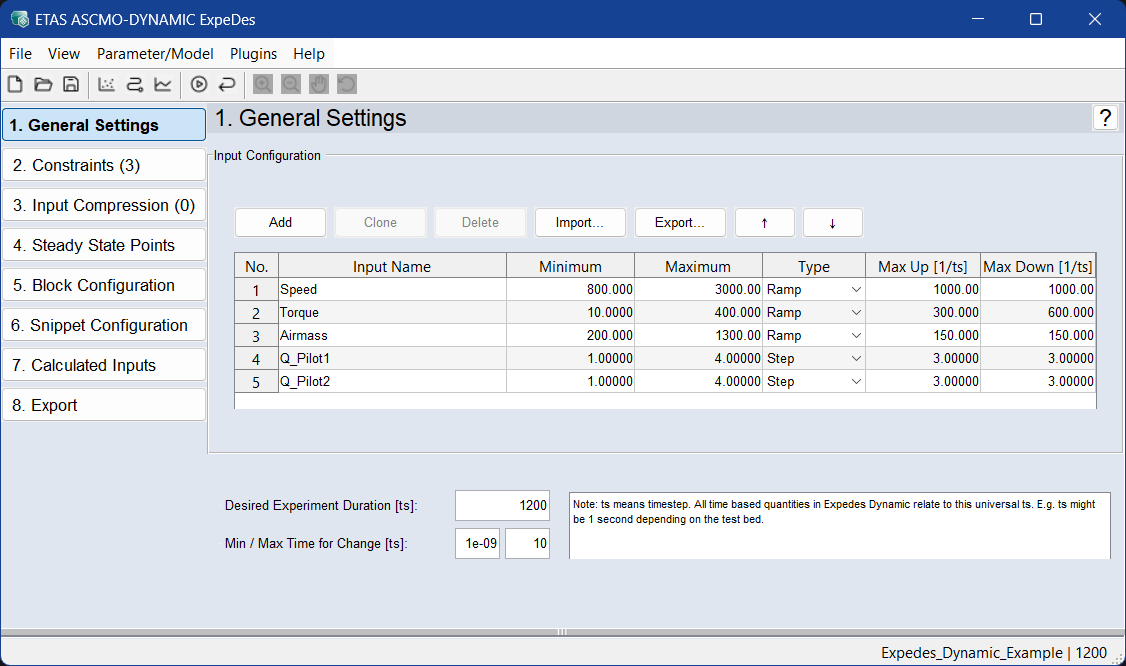
Input Configuration
When creating a new project, some inputs are created that must subsequently be named and configured.
Define a new input
Click on Add to define a new input.
A new input is added to the end of the list. You can also select one or more rows (by clicking on the row number) and duplicate this row with Clone .
Remove an input
To remove an input, select the corresponding row and click on Delete.
Import names of inputs
See Saving and Loading a Configuration, step 2.
Configure an input
To configure the input, specify the following parameters:
- Input Name: The name of the input quantity to be measured
- Minimum/Maximum: Lower/upper limit of the measurement range for the respective input
- Type: Defines the type of input (Ramp / Step)
- Max Up/Max Down:
Type Ramp = the maximum possible positive or negative slope of the gradient
Type Step= the maximum possible positive or negative jump height
Measurement Size Configuration
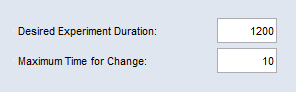
Desired Experiment Duration
Defines the planned duration of the experiment in seconds.
Maximum Time for Change
Sets the absolute time for processing a line in the experimental plan.
See also the tutorial in the Help (Step 1: General Settings).