"Select a conversion rule" Window
This window is opened with the Configure Conversion Rule option in the Conversion Rules menu of the ASCMO-Cycle Generator main window.
The  "Select a conversion rule" window contains the following elements:
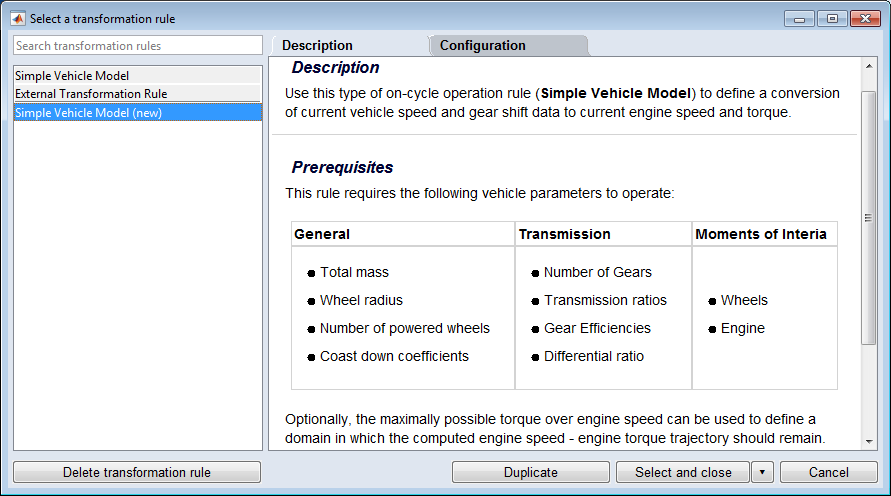
Conversion Rules list
This list shows the conversion rule templates (Simple Vehicle Model and External Conversion Rule) and the conversion rules in your project.
|
Note |
|---|
|
The External Conversion RuleExternal Validation Rule template can be used only in the P-code version of ETAS ASCMO (ASCMO_SDK license). |
You can filter the list by entering a search term in the "Search conversion rules" field at the top of the list.
"Description" tab
This tab contains a description of the selected conversion rule and its configuration.
|
Note |
|---|
|
Read the information in this tab carefully. |
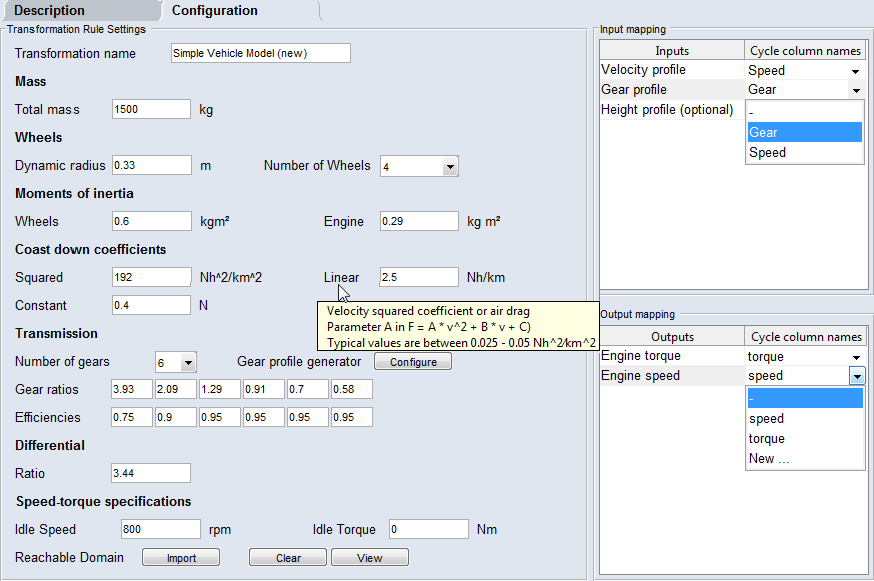
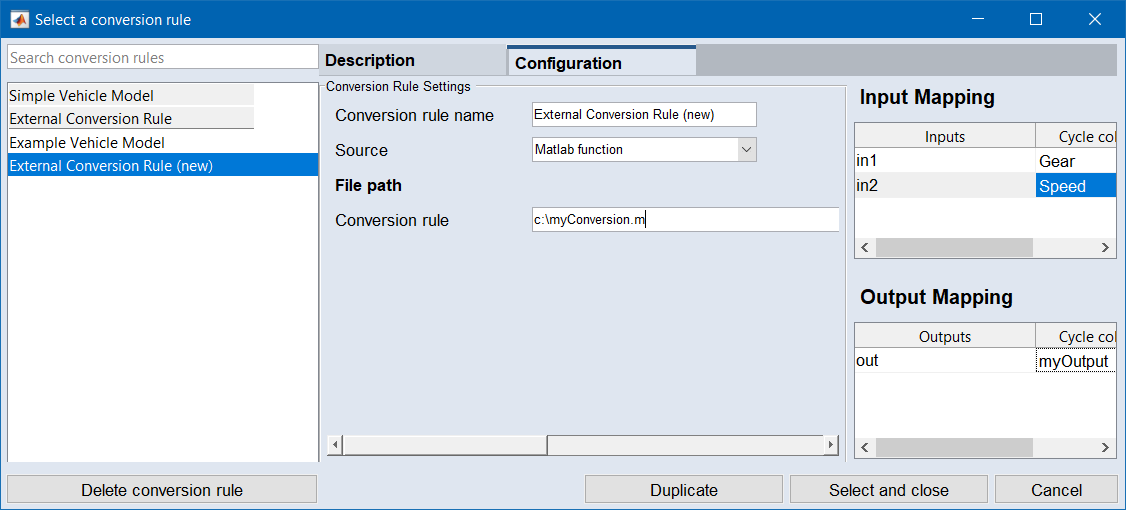
"Configuration" tab
This tab contains all properties that can be set for the selected conversion rule.
|
Note |
|---|
|
You cannot edit the properties of the conversion rule templates (Simple Vehicle Model and External Conversion Rule). Use the Duplicate button to create an empty copy of a template, then edit the copy. |
 Delete conversion rule
Deletes the selected conversion rule. You can delete only one conversion rule at a time.
Duplicate
Creates a copy of the selected conversion rule or conversion rule template. Templates are marked with a gray background.
The copy of a template is empty, the copy of an existing conversion rule contains all settings of the original.
Select and close
This button selects the conversion rule and closes the "Select a conversion rule" window.
Cancel
Discards your settings and closes the window.
See also