Export to Keras
Only Recurrent Neural Network (RNN) and Convolutional Neural Network (CNN) models can be exported to Keras.
When you export a model to Keras, a *.keras file is created for each output, as well as the transformation.py file.
Export a model to Keras
-
File > Export Model > Keras
-
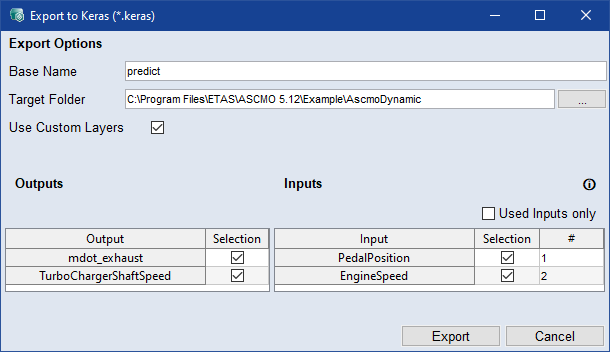
Set the Base Name (defines the file name <base name>_<output>) and the Target Folder.
-
Deactivate the Use Custom Layers checkbox if you want a model without custom layers.
-
Select the Inputs and Outputs to export in the table.
To export only used inputs, select Used Inputs Only.
-
Click Export.
-
The export starts and the files are saved to the specified path. A link to the export folder is displayed in the log window.
 Export to Keras window