View Menu
The View menu contains functions for the graphical display of the points of the experiment plan.
Scatter Plot
Opens the scatter plot window. The inputs of the experiment plan are displayed in pairs against each other in this window.
3D View
Opens the "Experiment 3D View" window. In this window, points of the experiment plan can be displayed as three-dimensional plot.
Table View
Opens the  "Experiment Table View" window. In this window, the points of the experiment plan are displayed as a table.
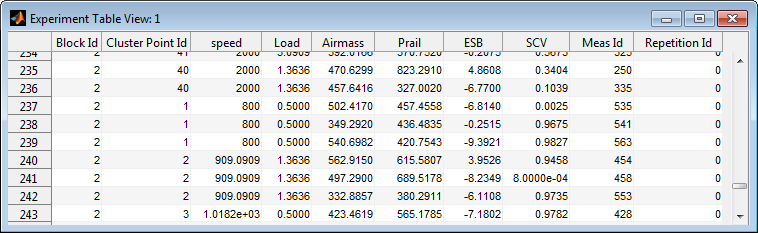
In addition, the "Block Id", the "Cluster Point Id" and the "Repetition Id" are shown.
Update
This refreshes the display of the plots after changes have been made to the project.
Group Windows
Groups all currently opened windows so that they are all visible at the same time.
Group Child Windows
Groups all currently opened child windows of the main window so that they are all visible at the same time.
Close Child Windows
Closes all currently opened windows except for the main window.