Data Table
This window is opened with Data menu> Table.
The  Data Table window displays each dataset as a table. You can change the data in the table.
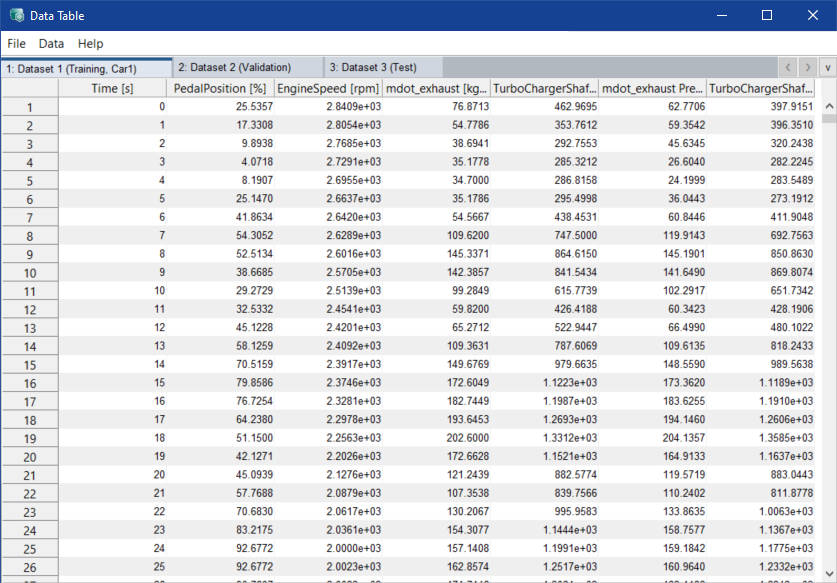
The windows contain the following elements:
-
Export
Exports the window content to an Excel file (*.xslx, *.xsl), comma-separated value file (*.csv) or MAT file (*.mat).
-
Close
Closes the window.
-
Apply Changes
Saves the change to the dataset.
-
Trim NaN Rows (Begin/End)
Use the menu options in this sub menu to deal with missing data (NaN)for all or the selected dataset. Unsaved changes are reverted.
If All Columns contain NaN
At the beginning/end of the table, rows that contain only NaN values are deleted.
If Any Column contains NaN
At the beginning/end of the table, rows that contain at least one NaN value are deleted.
-
Interpolate NaN Rows (Anywhere)
Use the menu options in this sub menu to replaces missing data (NaN) with interpolations of all or the selected dataset.
Table area
The table area contains one tab for each dataset in the project.