Cross Correlation Inputs
Ideally, all inputs are uncorrelated. This can be checked with a cross-correlation analysis, performed with the Data → Cross Correlation Inputs menu option in the main window.
|
Note |
|---|
|
The Data → Cross Correlation Inputs menu option is only available when the Advanced Settings are enabled. |
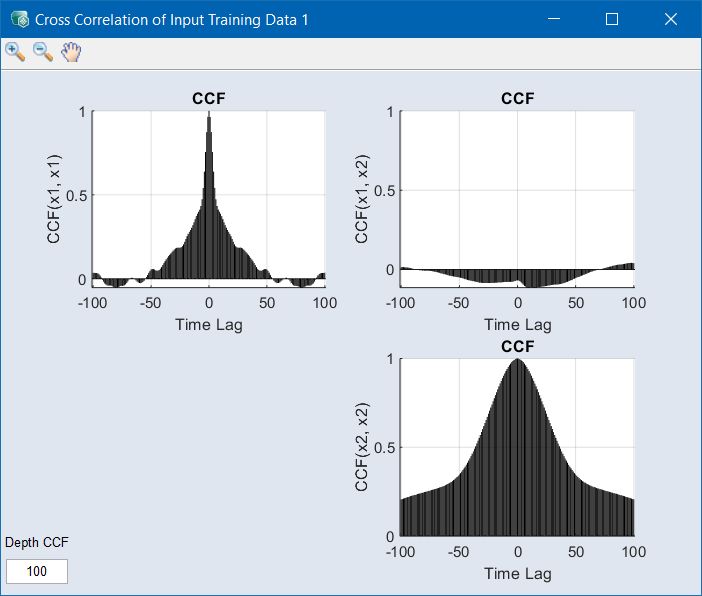
The desired behavior is shown below. The plots CCF(x1, x1) (on the diagonal) show the-cross correlation of each input with itself, which is actually the autocorrelation of the signal, depending on the respective time lag.
In an ideal case, one would get an exponentially decreasing function with a (full) correlation of 1.0 at time lag 0. The slower the CCF/ACF decreases, the smaller the signal changes are over time.
The more interesting plots are the CCFs among the inputs, which are displayed off-diagonal. The desired case is no correlation. Any peaks within the cross-correlation point to correlated input channels; a cross correlation of 1.0 would indicate redundant signals.