Defining Operating Point Positions Using Driving Cycle Traces
In addition to the weighting, the positions of the operating points can be optimally adapted to driving cycle traces.
|
Note |
|---|
|
The predetermined weighting and positioning of operating points will be deleted when you assign operating points to driving cycle traces. |
Defining operating point positions using driving cycles
-
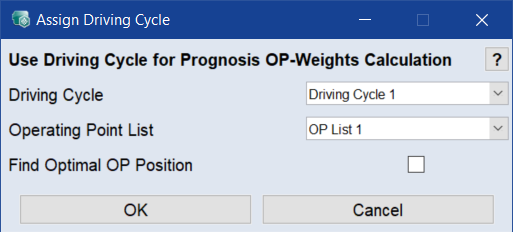
In the Driving Cycle Manager window, select Data > Assign OP Weights using a Driving Cycle.
The Assign Driving Cycle window opens.
- Select the driving cycle and the operating points list you want to use.
-
Activate the Find Optimal OP Position checkbox.
-
Click OK to perform the assignment.
-
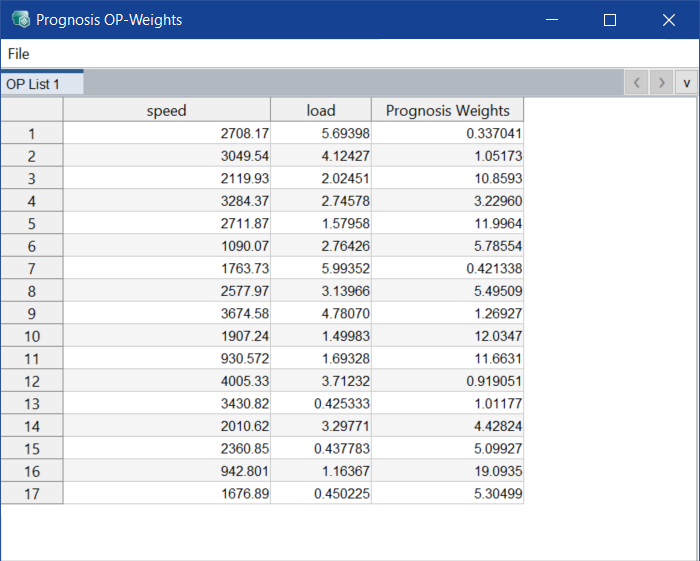
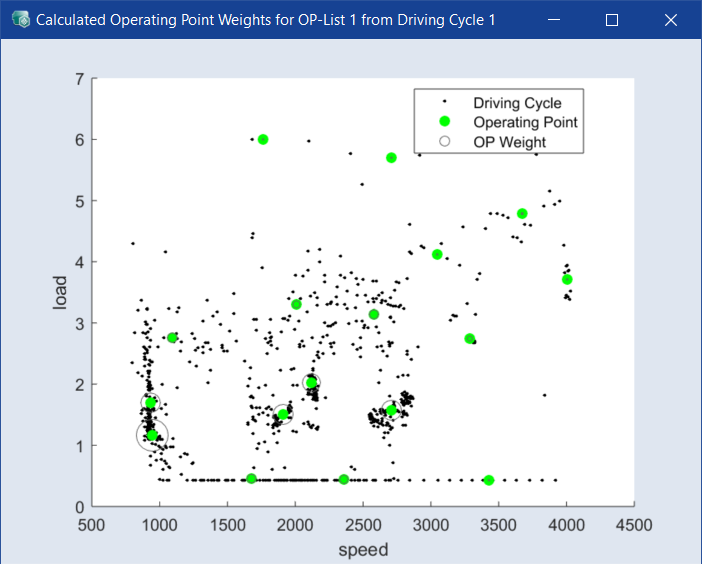
The Prognosis OP-Weights window and the Calculated Operating Point Weights from Driving Cycle 1 window open. The positions of the operating points are changed.