Plugins Menu (ASCMO-Cycle Generator)
The Plugins menu consists of the following entries:
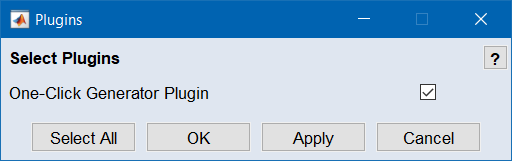
Select Plugins
Enables selecting installed plugins for ASCMO-Cycle Generator. Activated plugins are displayed in the menu or as subentries in the main menu.
|
Note |
|---|
|
The type and number of available plugins depends on your specific installation. |
If you want to create your own plugins, you can find a detailed interface documentation under Help → Interface Help. The source code of example plugins can be found in the <installation>\Example\CycleGenerator\Plugins directory. By default, <installation> is C:\Program Files\ETAS\ASCMO x.x.
An example generator plugin is provided with the installation, and can be found in <installation>\Example\CycleGenerator\Plugins\ExampleGeneratorPlugin, where a python model is utilized.
Plugins can also generate entries and subentries in the main menu – these are then shown in blue.