Creating a Transition
Do one of the following:
Click the
 Switch to Connection mode button.
 Right-click in the drawing area (but not on an element).
The connection mode is activated, the cursor changes to a crosshair.
Click inside the state symbol or the junction where the connection is to start and drag the mouse cursor to the next state or junction.
A line is drawn after the cursor. The line starts on the edge of the symbol in which you clicked.
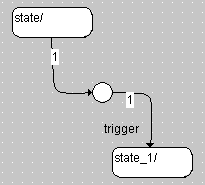
Transitions from one junction to another (cascading junctions) are allowed, all kinds of loops are forbidden.
Click inside the symbol you want to connect to.
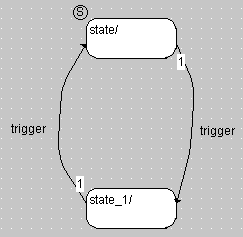
A transition is drawn between the two symbols. It has an arrowhead pointing from the first state/junction to the second state/junction symbol.
See also
Assigning Triggers, Priorities, Conditions and Actions to a Transition