Setting up a Hierarchy State with a History
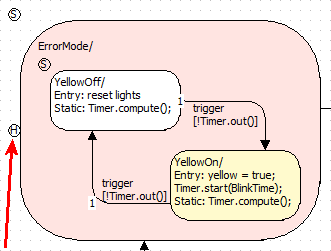
Right-click the hierarchy state and select History from the context menu.
The hierarchy state now has a history. When it is entered, the transition ends in that substate the hierarchy was in when it was left, even if that is not the start state of the hierarchy.
Closed hierarchy
Open hierarchy