Assigning/Deassigning Application Modes to a Task
- In the project editor, go to the "OS" tab.
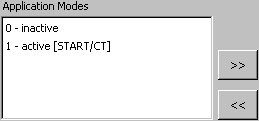
In the Application Modes pane, select one or more application modes.
In the Tasks pane, select the task you want to assign to the application mode(s).
Do one of the following:
In the Application Mode menu, select Assign.
Select the desired application modes and drag them from the Application Modes pane onto the desired task using the mouse.
A task can have several application modes. It is scheduled according to its task settings whenever an application mode it is assigned to is active.
In the Task menu, select Deassign Application Modes to deassign the application mode.
Instead of the menu functions, you can use the context menus in the respective panes, or the buttons shown here.