Configuring the ES910
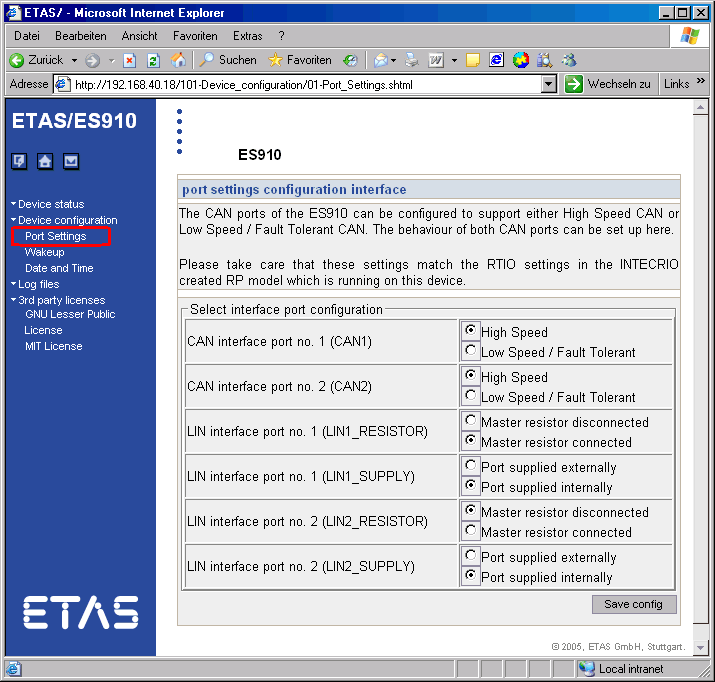
Master resistor and power supply settings of the ES910 must be adjusted.
In the Windows system tray, right-click the
 IP-Manager icon and select Ethernet System Configuration from the context menu.
The
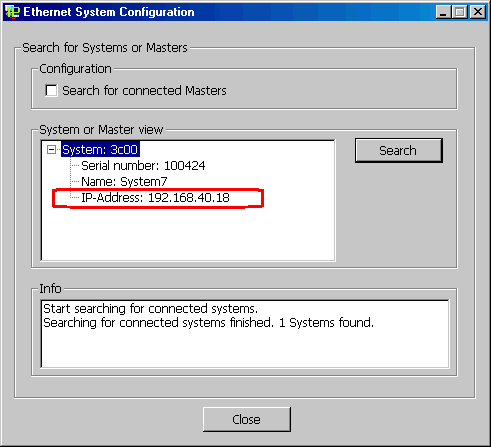
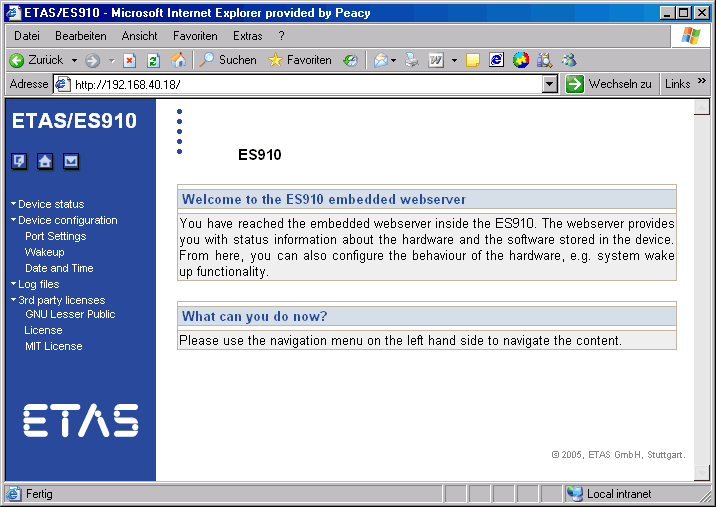
Ethernet System Configuration window opens. The IP address is shown in the System or Master view field.Enter this IP address in your web browser to open the
ES910 user interface.An alternative way to open the ES910 user interface is described in the ES910 user guide.
- On the start page of the ES910 user interface, follow the link Port Settings below the "Device configuration" caption.
On the
Port Settings page, configure the ports according to your needs.- Save the configuration.

See also