Using the Sample Point Display
You can display the sample point during a measurement.
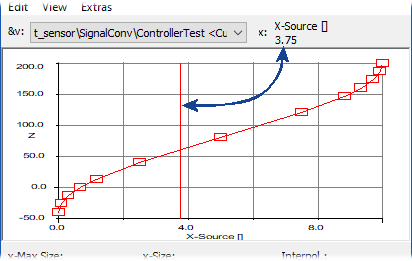
In the View menu of the table editor or the 1D/2D graphical editor, select Show Process Point to activate the sample point display.
The sample points enclosing the current value is highlighted (red border in the table editor, red line in the 1D (
 example) and 2D graphical editors) during the next measurement.