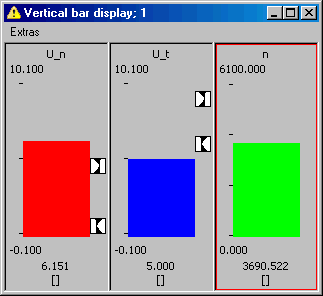
Setting Up the Bar Display
- Select the bar display you want to set up.
- You can also select several bar displays simultaneously by clicking on them while holding down the <Ctrl> key.
In the Extras menu, select Setup.
The Display setup window is displayed.
- In the Value Decimals field, select the number of decimals for displaying the numeric value.
- In the Min and Max fields, set the display range.
- In the Lower and Upper fields, define one or two monitoring limits.
Click OK to accept the settings.
In the bar display, the monitoring limits are marked. If the measured value falls below the lower limit, the bar color changes to blue. If the measured value exceeds the upper limit, the bar color changes to red. If the measured values stay within the two limits, the bar color is green.