Searching/Deleting Unused Elements
You can delete elements (scalar or complex) not used in the conditional table.
In the "Extras" menu, select Show Unused Elements.
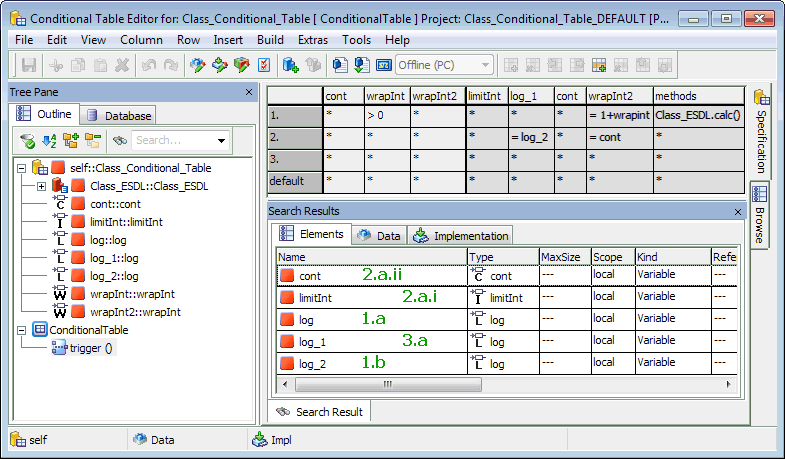
The "Search Results" view opens. It shows all elements listed in the "Outline" tab, but not used in the conditional table.
A scalar element in the "Outline" tab is unused in the conditional table (i.e. does not appear in the generated ESDL code) if one of the
 following conditions is fulfilled.
An included class is unused in the conditional table if the
following conditions are fulfilled.In the "Elements" tab of the "Search Results" view, select one, several, or all (<Ctrl> + <a>) elements.
Do one of the following:
- Open the context menu and select Delete.
- Press the Del key.
The selected unused elements are deleted.
See also