Example: Replacing References
This example illustrates the way the replacement of references works.
The illustration shows a section from the element view of the Component Manager for the ControllerTest project in the Lesson4 folder of the tutorial database. This project references the IdleCon component.
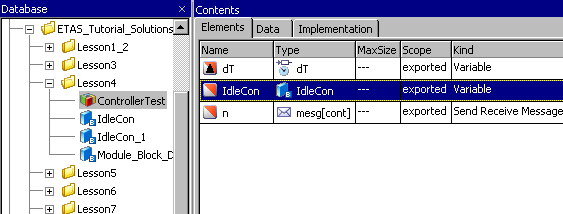
After the selection of IdleCon in the "Database" list, this can be checked with the Show References option in the Edit menu.
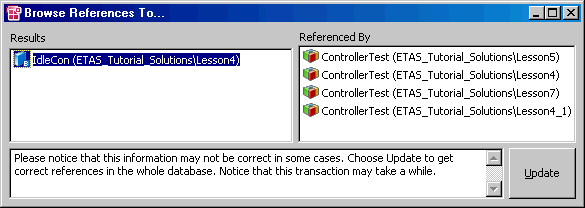
In the entire database, the IdleCon component is referenced by several projects with identical names (ControllerTest).
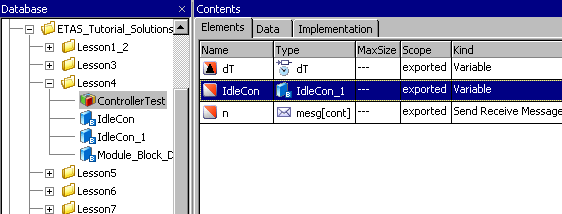
The Replace References option in the Edit menu is used to replace the references to IdleCon by references to IdleCon_1. After the command has been executed, the "Database" field is unchanged, but in the element view it can be seen that the ControllerTest project, albeit using the old name, now references IdleCon_1. However, both components still exist in the database.
Checking both components with the Show References option in the Edit menu has the following result:
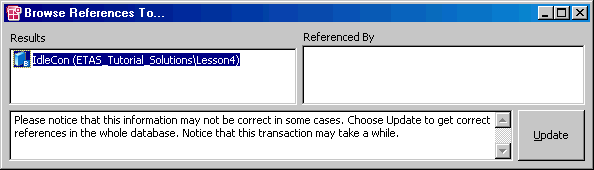
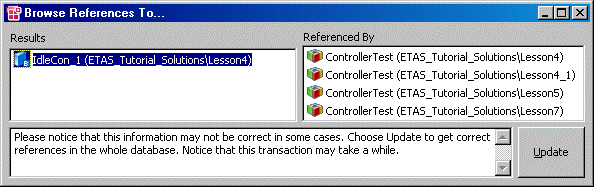
There is no longer a reference to IdleCon, the projects from above now reference IdleCon_1.
See also