Using the While Loop
The only loop construct available in block diagrams is the While loop.
- In the Basic Blocks palette or toolbar, click the
 While button to load the mouse cursor with the respective block.
 - Place the block in the drawing area.
- Specify the loop condition.
Connect the condition to the loop input.
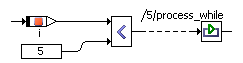
- Specify the loop action.
Right-click the sequence call you want to connect to the loop output, and select Connector from the context menu.
The sequence call becomes a connector.
Connect the loop output to the connector.
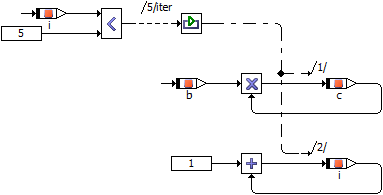
You can connect the output to more than one actions. In that case, edit the connector numbers (according to Editing a Sequence Call in the Sequence Editor). As for sequence calls, each number must be unique.
Note |
|---|
Make sure that you avoid infinite loops or loops unsuitable for real-time applications, e.g., via an appropriate setting for Max Number of Loop Iterations in the project properties, Experiment Code node, of the associated project. |
See also