Selecting a View of the Diagram
Details on views are given in Views.
From the View combo box in the upper right corner of the toolbar, select a view.
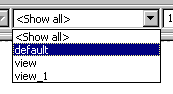
The view changes according to the view settings of the diagram items. All items that are marked invisible for the selected view are hidden.
See also