Changing the View Display of a Diagram
- Open the block diagram editor, block diagram SWC editor, project editor, or state machine editor for the diagram.
In the General toolbar, select a view from the View combo box.
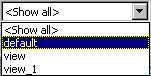
The view changes according to the view settings of the diagram items. All items that are marked invisible for the selected view are hidden.