Configuration Example – Perforce
The Configure Selection button in the Driver Selection dialog box opens the SCM Settings window.
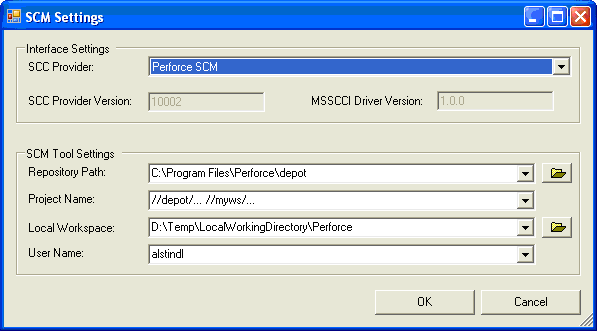
Field | Meaning | Example |
Repository Path | path to depot folder in Perforce installation folder | ..\Program Files\Perforce\depot |
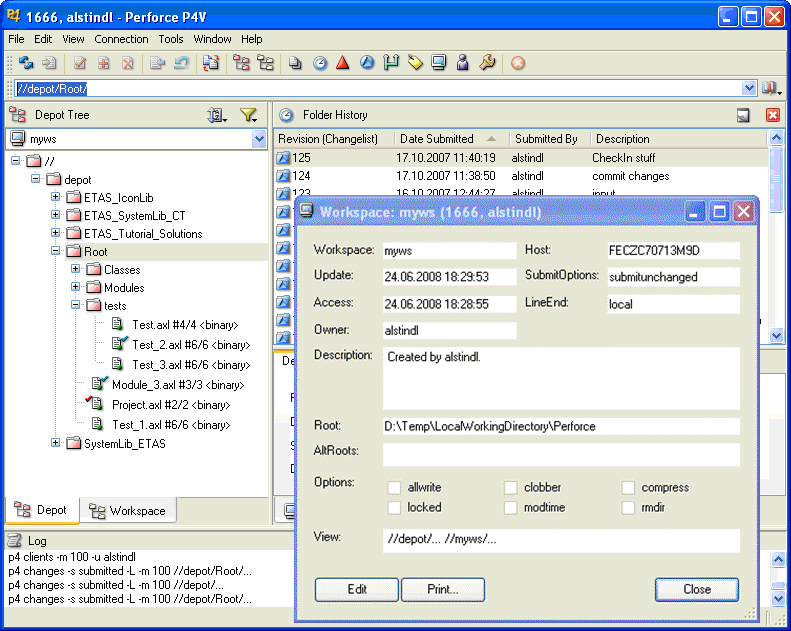
Project Name | name of the workspace view inside of Perforce | see screenshot below |
Local Workspace | exchange directory between ASCET & Perforce | D:\Temp\LocalWorkingDirectory\Perforce |
See also