Configuration Example – MKS
The Configure Selection button in the Driver Selection dialog box opens the SCM Settings window.
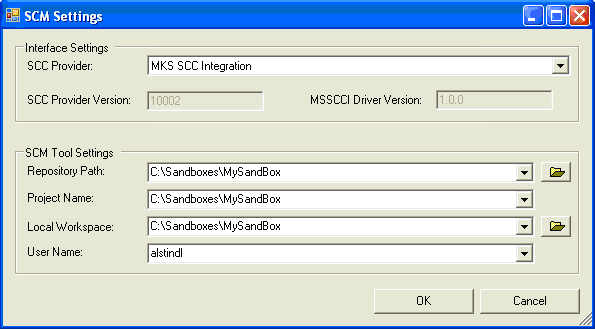
Field | Meaning | Example |
Repository Path | MKS sandbox | see screenshot above |
Project Name | MKS sandbox | |
Local Workspace | MKS sandbox |
The MKS sandbox combines all information needed to connect to MKS. Therefore, the information for Repository Path, Project Name and Local Workspace may be the same.
See also